Mở rộng Worker Nodes
Trong Kubernetes cluster, worker nodes chịu trách nhiệm chạy workloads (Pods, Deployments, StatefulSets, DaemonSets, v.v.).
Nếu ứng dụng của bạn cần thêm tài nguyên, bạn có thể scale up bằng cách thêm worker node.
Khi tải giảm, bạn có thể scale down để tiết kiệm chi phí.
Trên Vietnix Cloud, mở rộng worker nodes nghĩa là thay đổi số lượng VM được gán làm worker.
Yêu cầu
- Kubernetes cluster đã được tạo trong Vietnix Cloud.
- Cluster đang ở trạng thái Ready.
- Bạn có thể truy cập Vietnix Cloud Dashboard.
- Dự án Vietnix Cloud của bạn còn đủ tài nguyên (CPU, RAM, quota disk) để thêm node mới.
Mở rộng Worker Nodes
-
Điều hướng tới Kubernetes → chọn cluster của bạn.
-
Tìm phần Number of Worker Nodes.
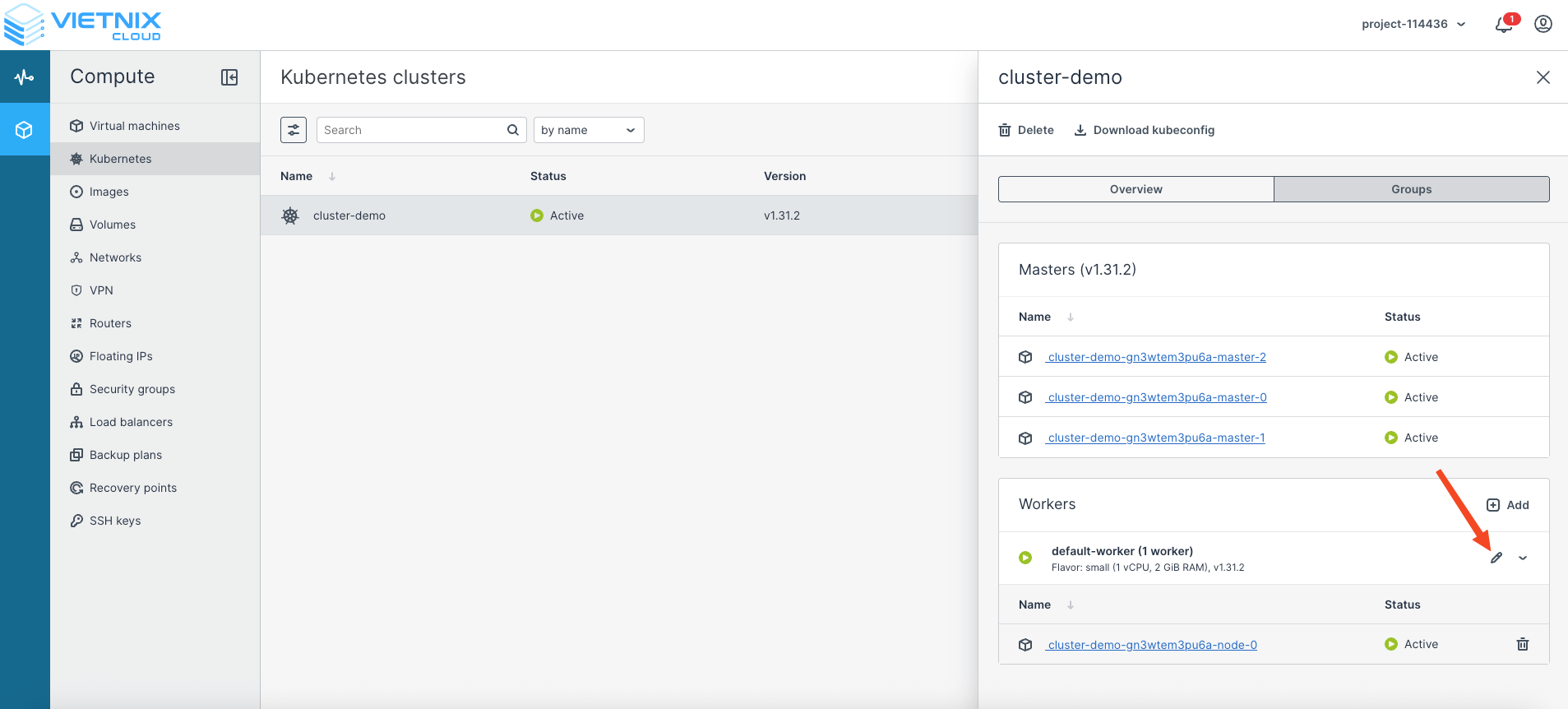
-
Điều chỉnh số lượng:
- Tăng số lượng để scale up (thêm worker).
- Giảm số lượng để scale down (giảm worker).
- Bật hoặc tắt Autoscaling.
- Nhấp Save để áp dụng thay đổi.
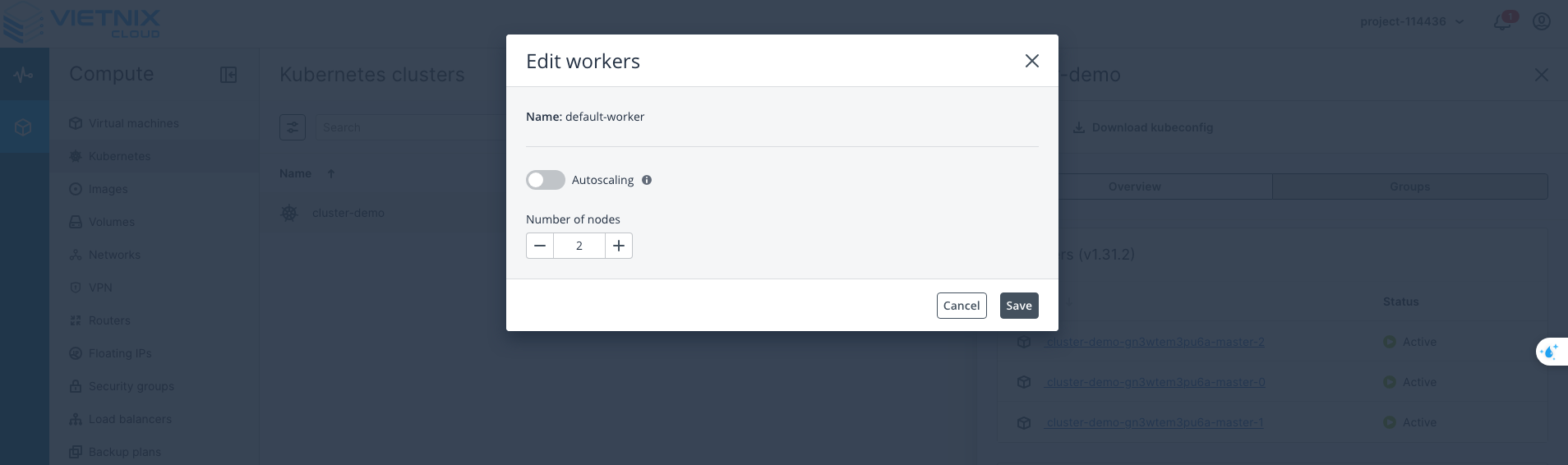
📌 Vietnix Cloud sẽ tự động cấp phát hoặc gỡ bỏ các VM worker theo cấu hình của bạn.
-
Xác nhận thay đổi trên giao diện dashboard.
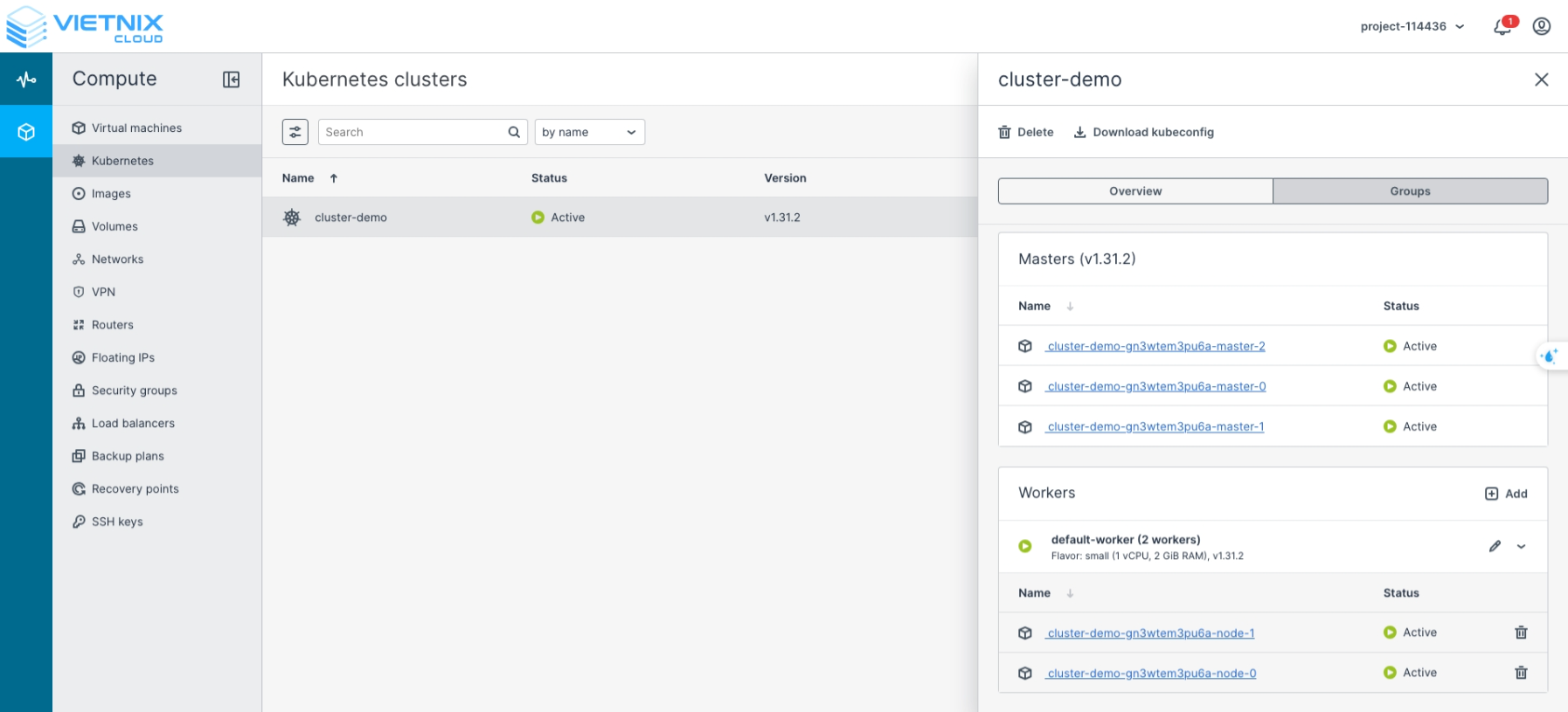
-
Xác minh việc scale bằng kubectl
Sau khi scale, kiểm tra các worker node mới đã được đăng ký vào cluster:
kubectl get nodes
NAME                                 STATUS   ROLES    AGE     VERSION
cluster-demo-gn3wtem3pu6a-master-0   Ready    master   3h26m   v1.31.2
cluster-demo-gn3wtem3pu6a-master-1   Ready    master   3h26m   v1.31.2
cluster-demo-gn3wtem3pu6a-master-2   Ready    master   3h26m   v1.31.2
cluster-demo-gn3wtem3pu6a-node-0     Ready    <none>   3h25m   v1.31.2
cluster-demo-gn3wtem3pu6a-node-1     Ready    <none>   8m37s   v1.31.2