Recovery
This guide will help you recover backups of your volumes in Vietnix Cloud.
Access Recovery Points
- Navigate to Compute > Recovery Points
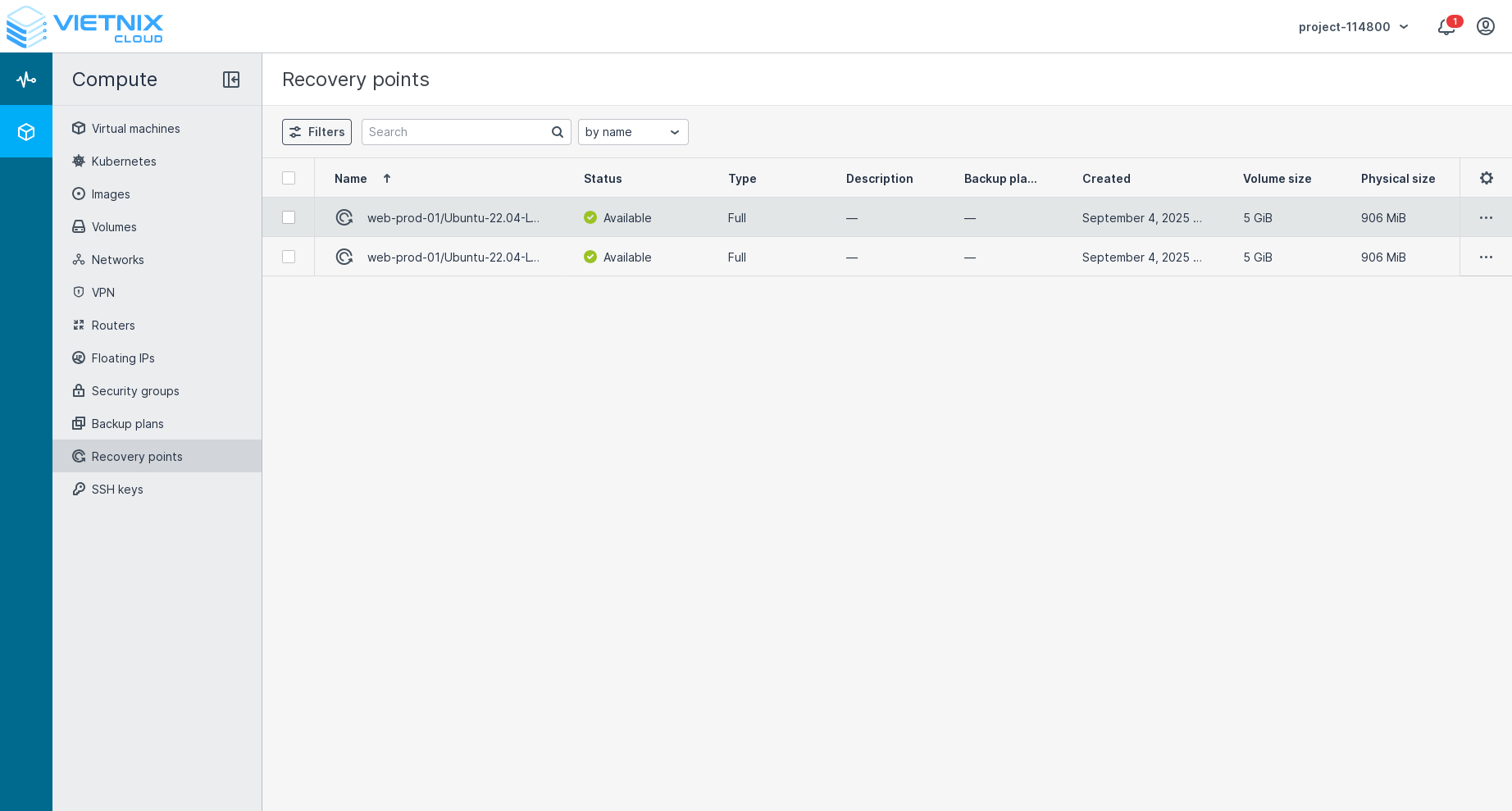
- Find the recovery point you want to use
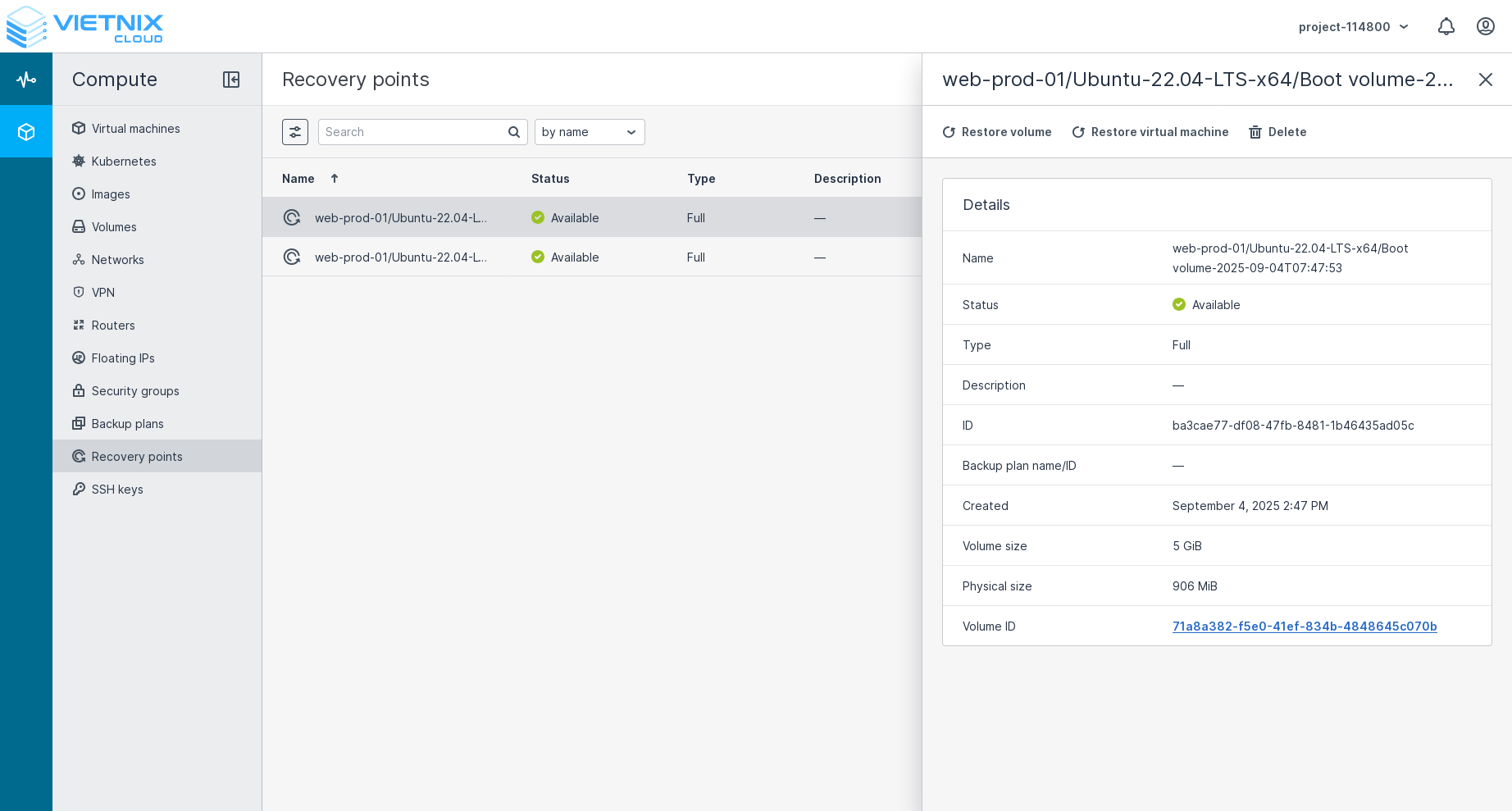
- If you want to recover a volume, click on the Recover Volume button
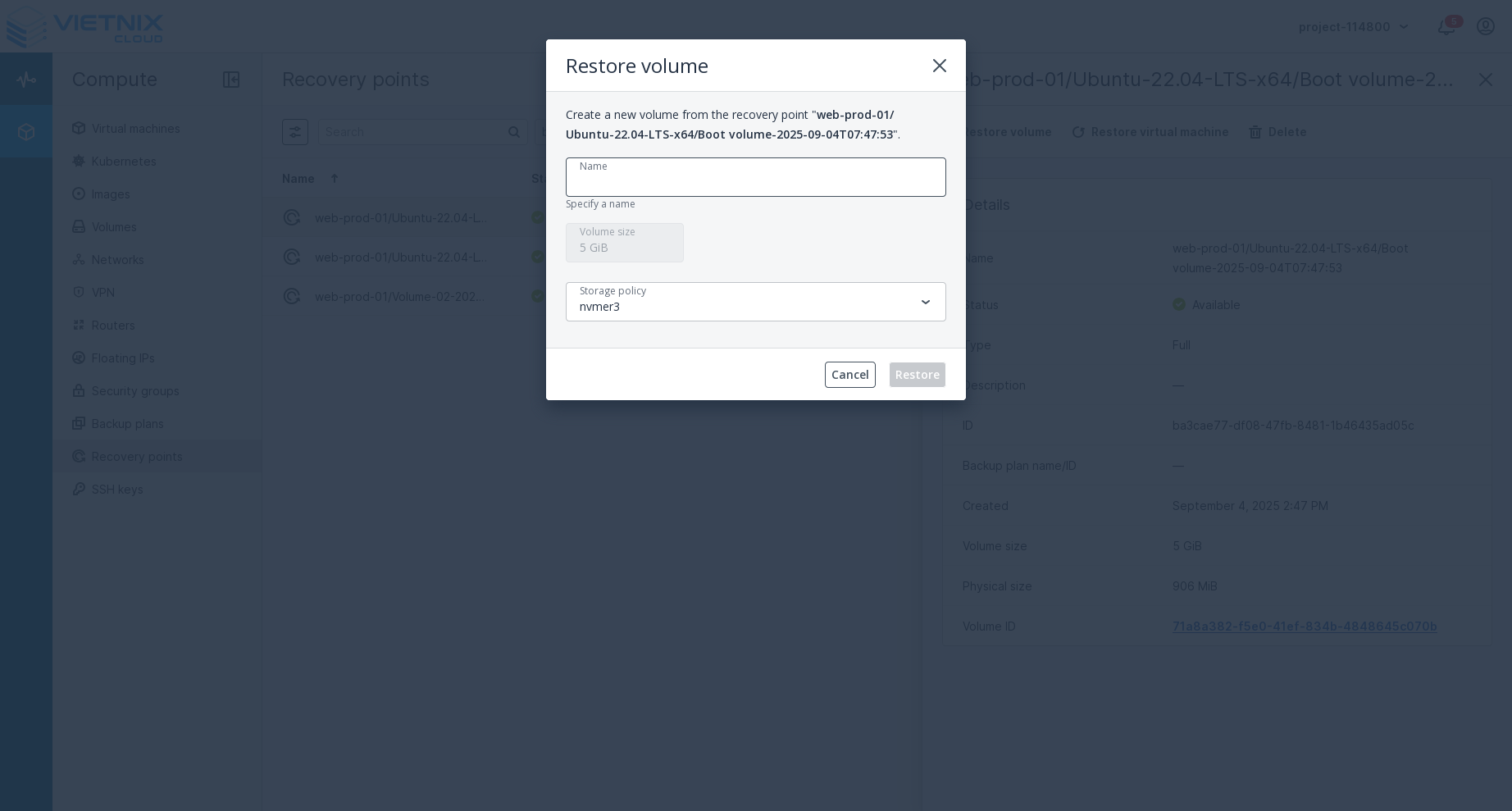 After clicking the Recover Volume button, you will be prompted to enter a name for the new volume and select a storage policy. Once you have entered the required information, click the Restore button to create the new volume from the backup.Warning
Recovering a volume will create a new volume from the backup, not overwrite the existing volume.
- If you want to recover a Virtual Machine, click on the Restore Virtual Machine button
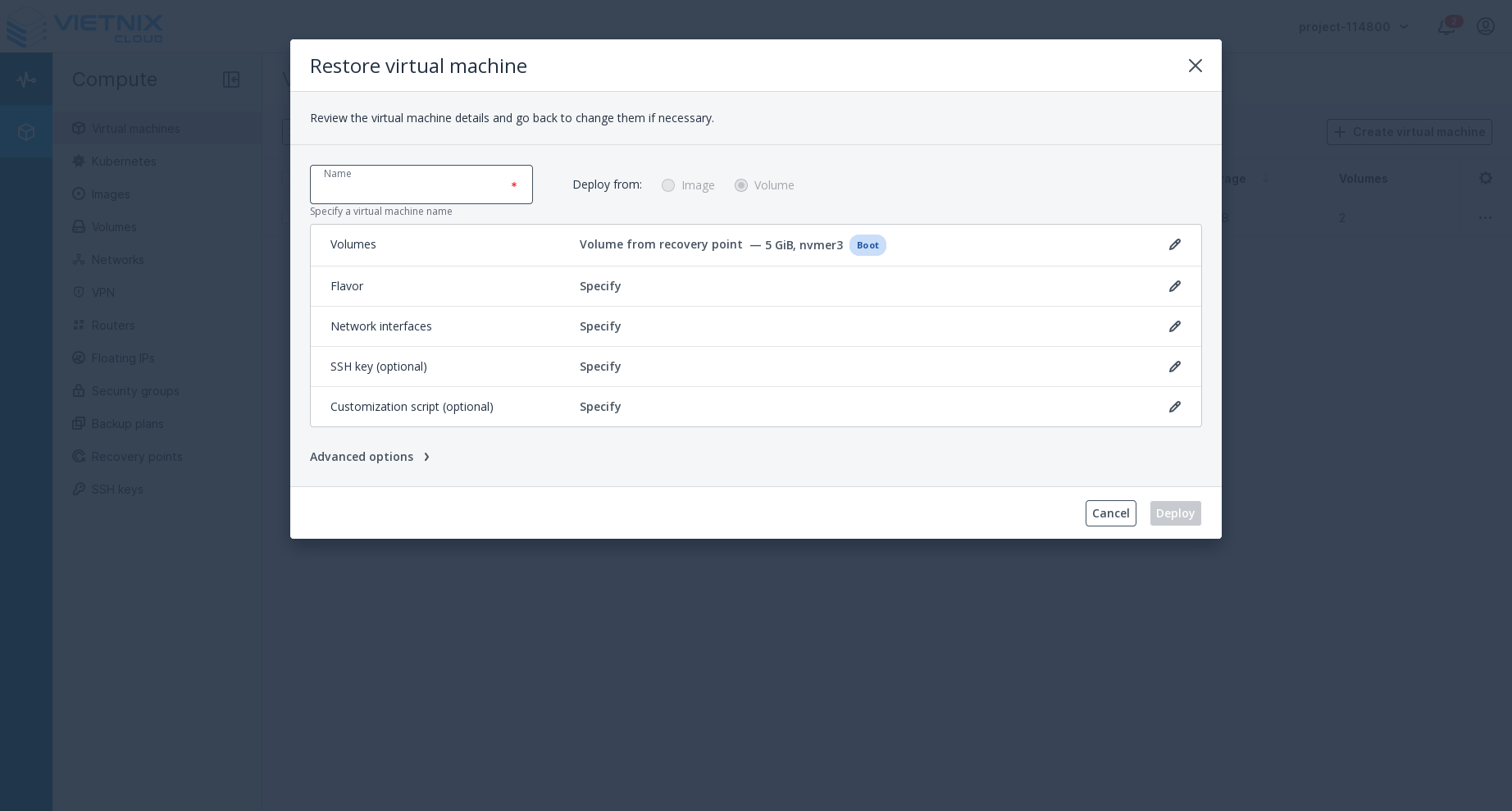 After clicking the Restore Virtual Machine button, you will be prompted to enter a name for the new Virtual Machine, select a flavor, and choose a network. Once you have entered the required information, click the Deploy button to create the new Virtual Machine from the backup.Warning
Restoring a Virtual Machine will create a new Virtual Machine from the backup, not overwrite the existing Virtual Machine.
- If you want to recover a volume, click on the Recover Volume button
Wow! This is Useful
- You can also create backups of your volumes. Learn how to Backup.
- You can set up automated backup plans. Learn how to Backup Plans.