Manage Load Balancer Member
This guide explains how to add and manage backend members for an existing Load Balancer on Vietnix Cloud.
Pre-Creation Planning
- An active Vietnix Cloud account
- A project with sufficient resources
- An existing Load Balancer
- Backend servers (VMs) ready to be added to the Load Balancer
- Appropriate security groups configured to allow traffic from the Load Balancer
Steps to Add a Member
-
Login to Vietnix Cloud Dashboard
-
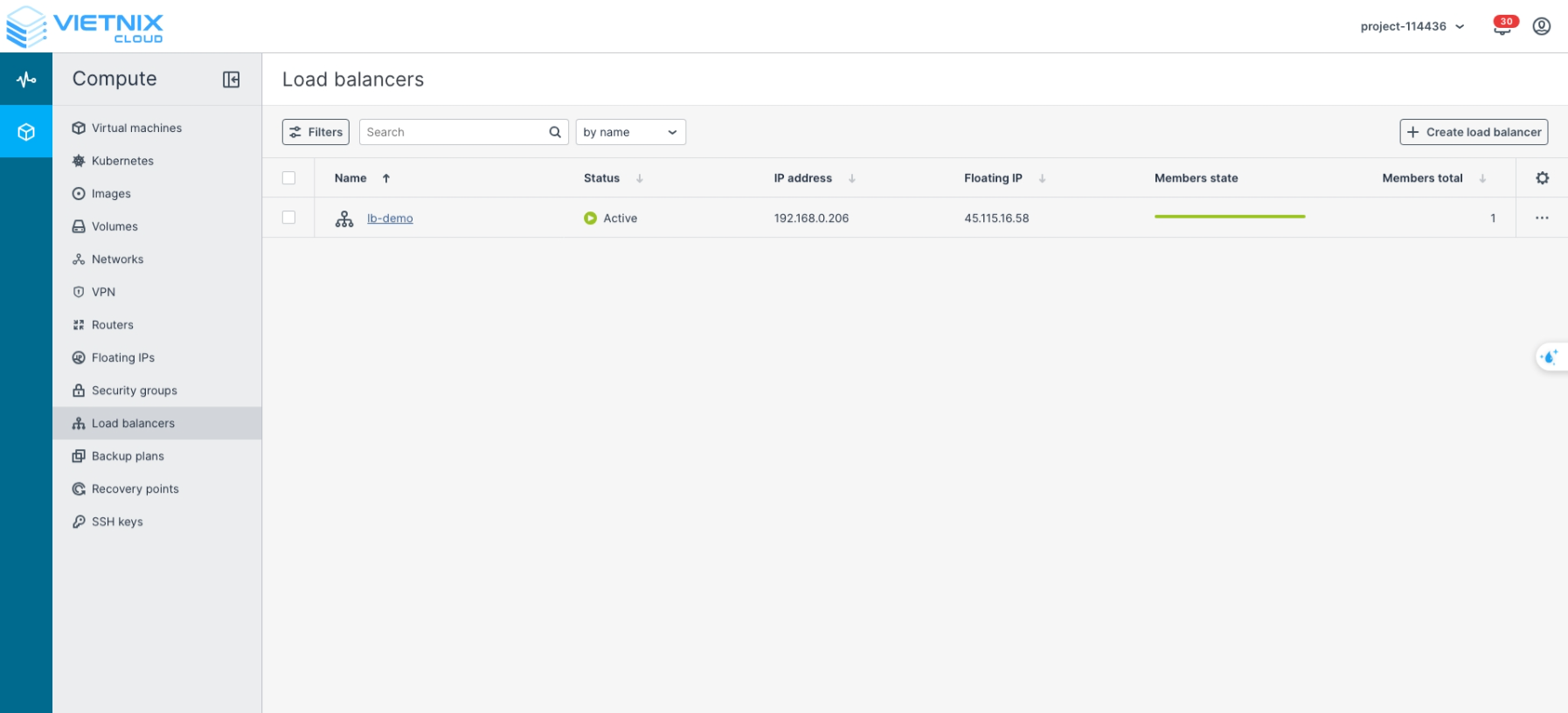
Navigate to Compute > Load Balancers
-
Select the Load Balancer you want to manage
-
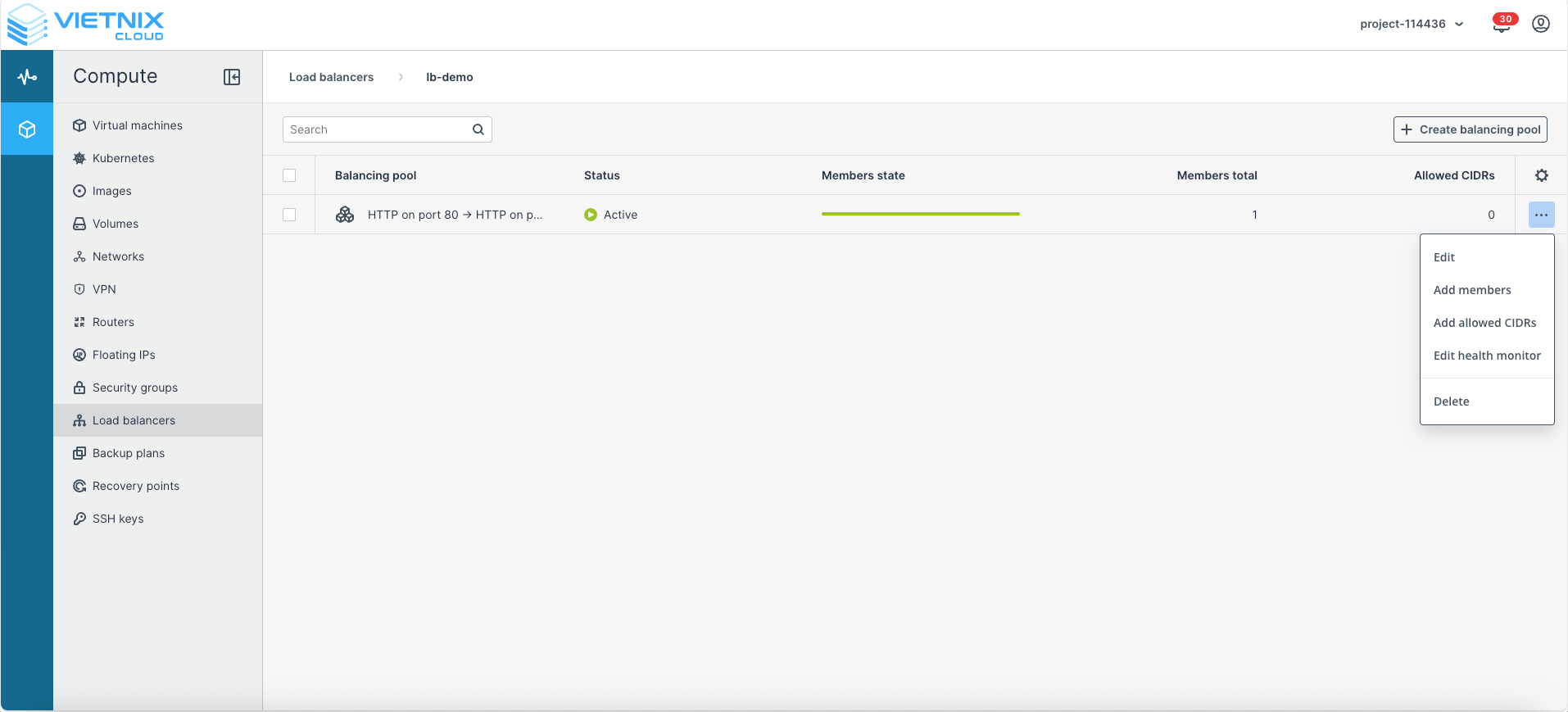
Click Add Member
-
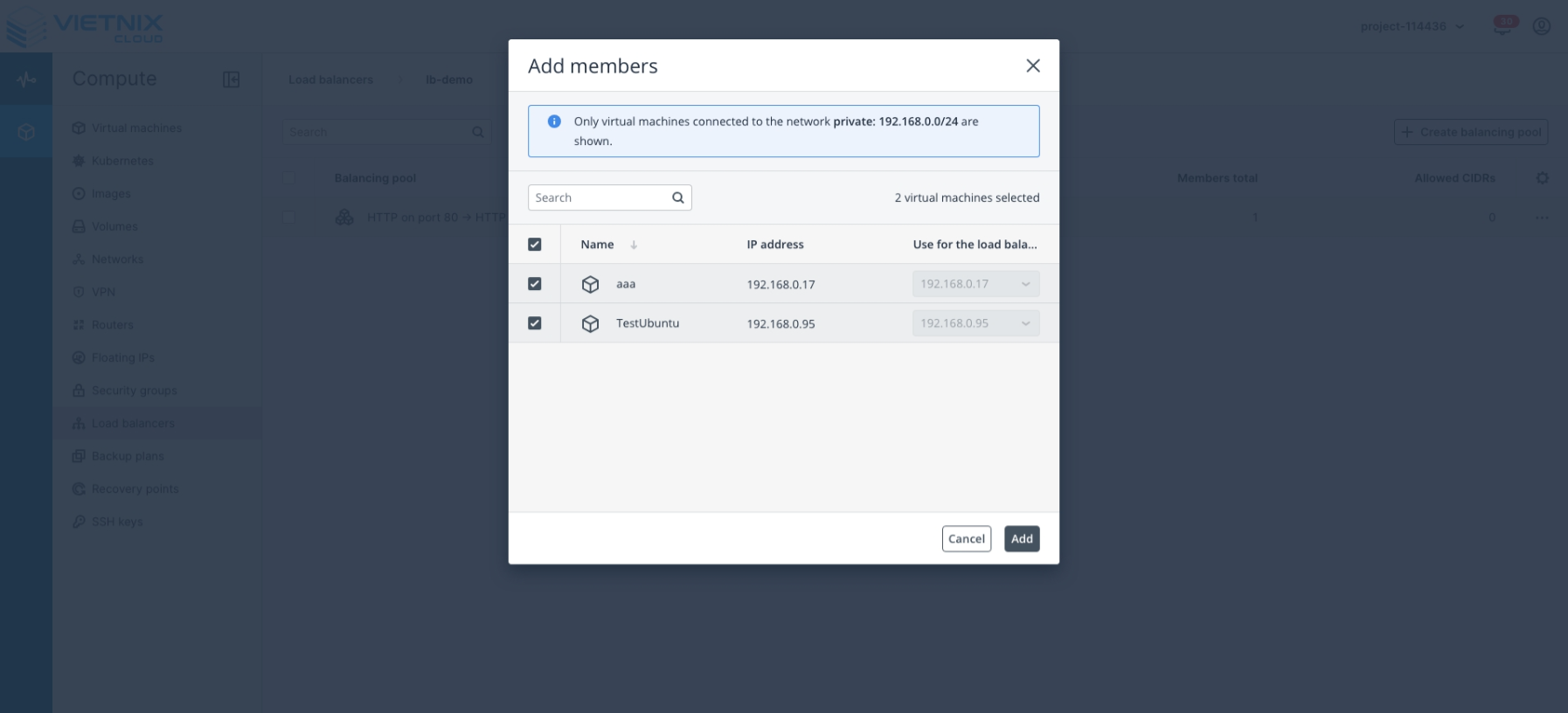
Select the backend VMs you want to add to the Load Balancer
-
Click Save to apply changes