Create Volume
This guide will help you create a new volume in Vietnix Cloud.
Pre-Creation Planning
- An active Vietnix Cloud account
- Access to the Vietnix Cloud dashboard
- Have enough quota for creating a new volume
Steps to Create Volume
- Navigate to Compute > Volumes.
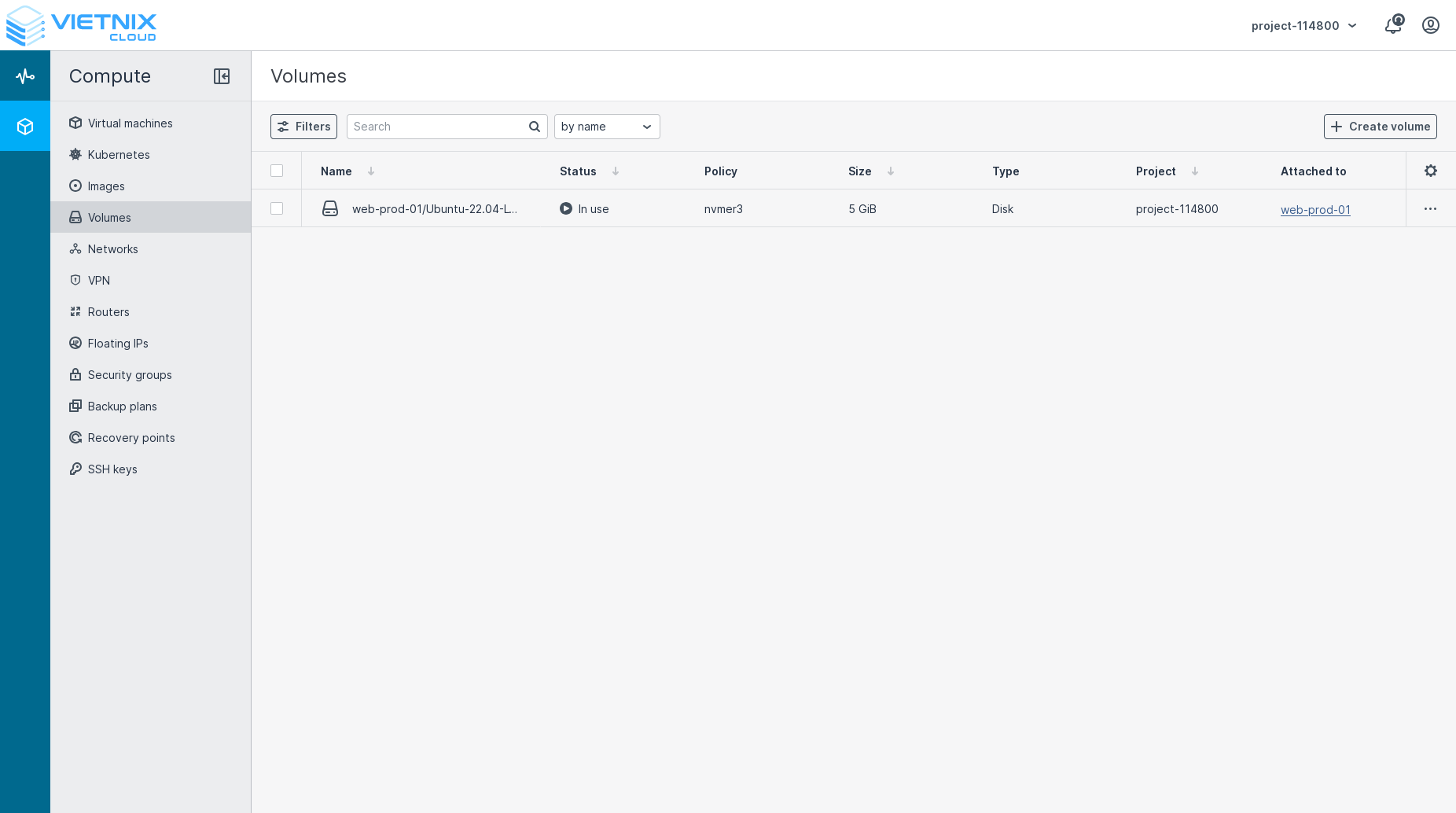
- Click the Create Volume button.
- Fill in the volume details:
- Name: Enter a name for the volume (e.g., "MyVolume").
- Size: Specify the size of the volume in GiB (e.g., 100GiB).
- Storage Policy: Choose a storage policy
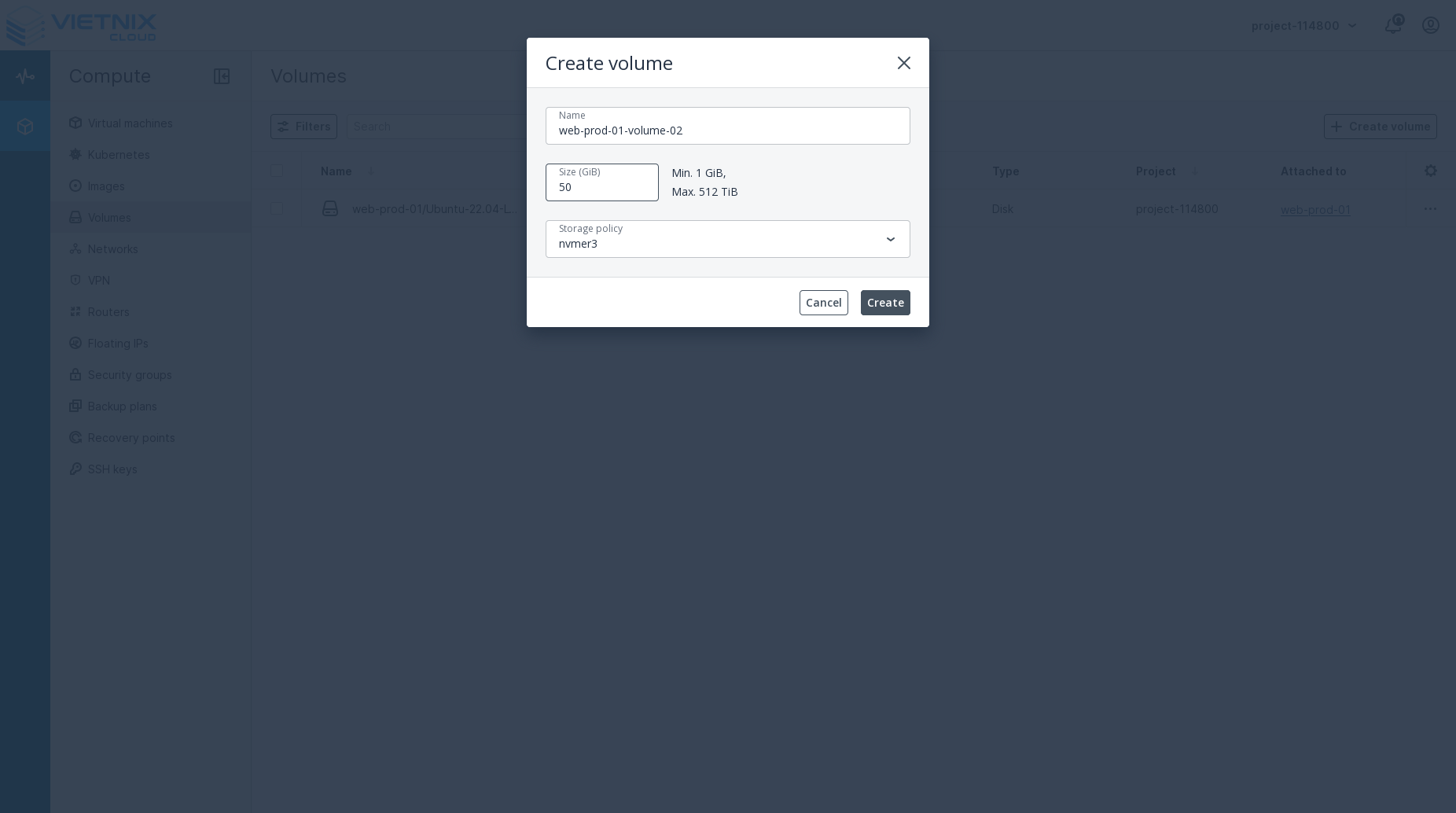
- Click the Create button to create the volume
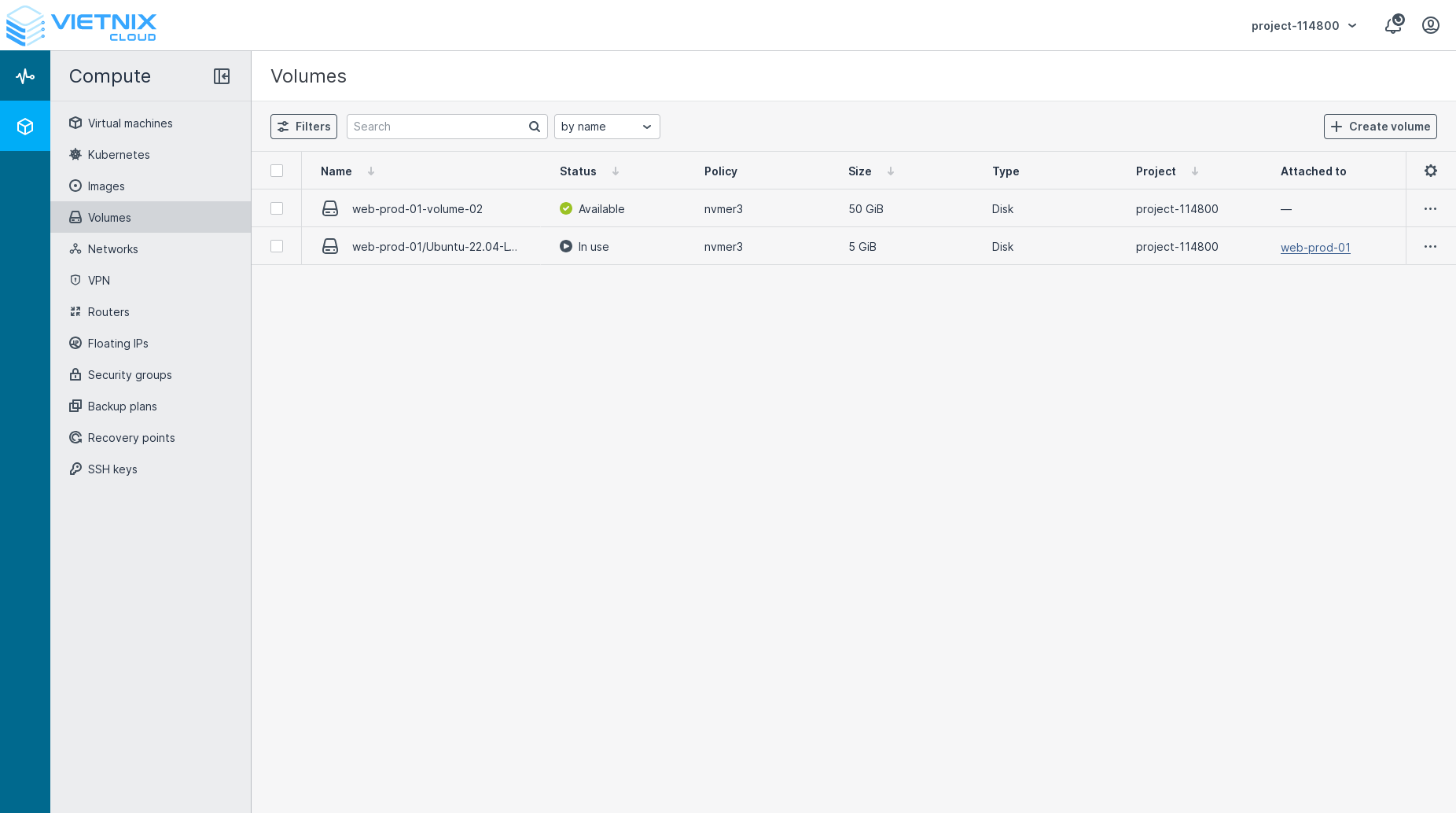
- Once created, the volume will appear in the list of volumes.
Next Steps
- You can attach the volume to a virtual machine. Learn how to Attach Volume.
- You can create snapshots of your volumes. Learn how to Create Snapshot.