Attach Network
After creating a Virtual Network, you may want attach it to your VM. In this guide, we will walk you through the steps to attach a network to your VM in Vietnix Cloud.
Prerequisites
- A created-network in Vietnix Cloud
- An instance (VM) to attach the network to
Steps to Attach Network
-
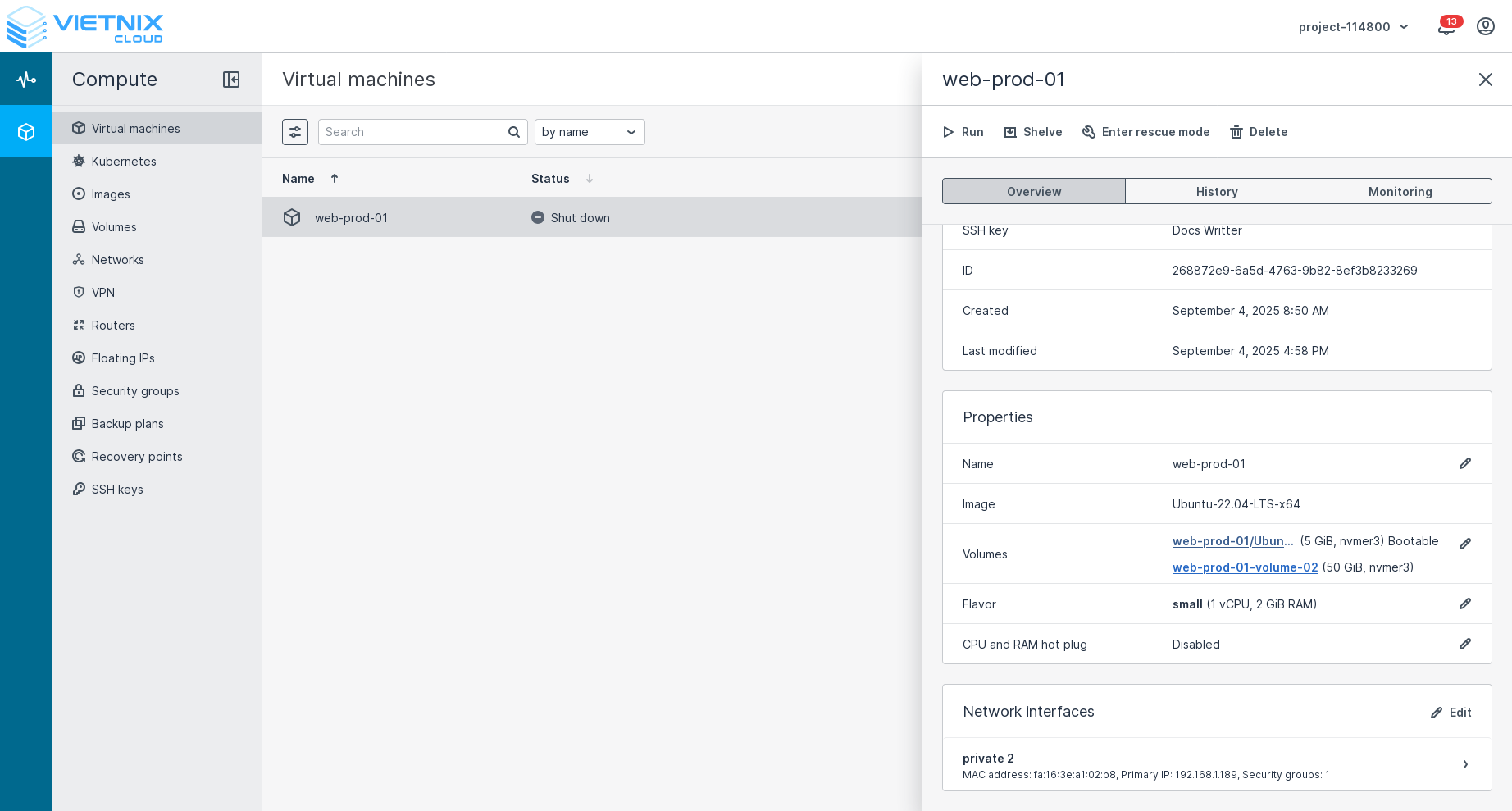
Navigate to Virtual Machines in the left sidebar. Click on VM you want to attach network. Press Edit button on Network interfaces panel.
-
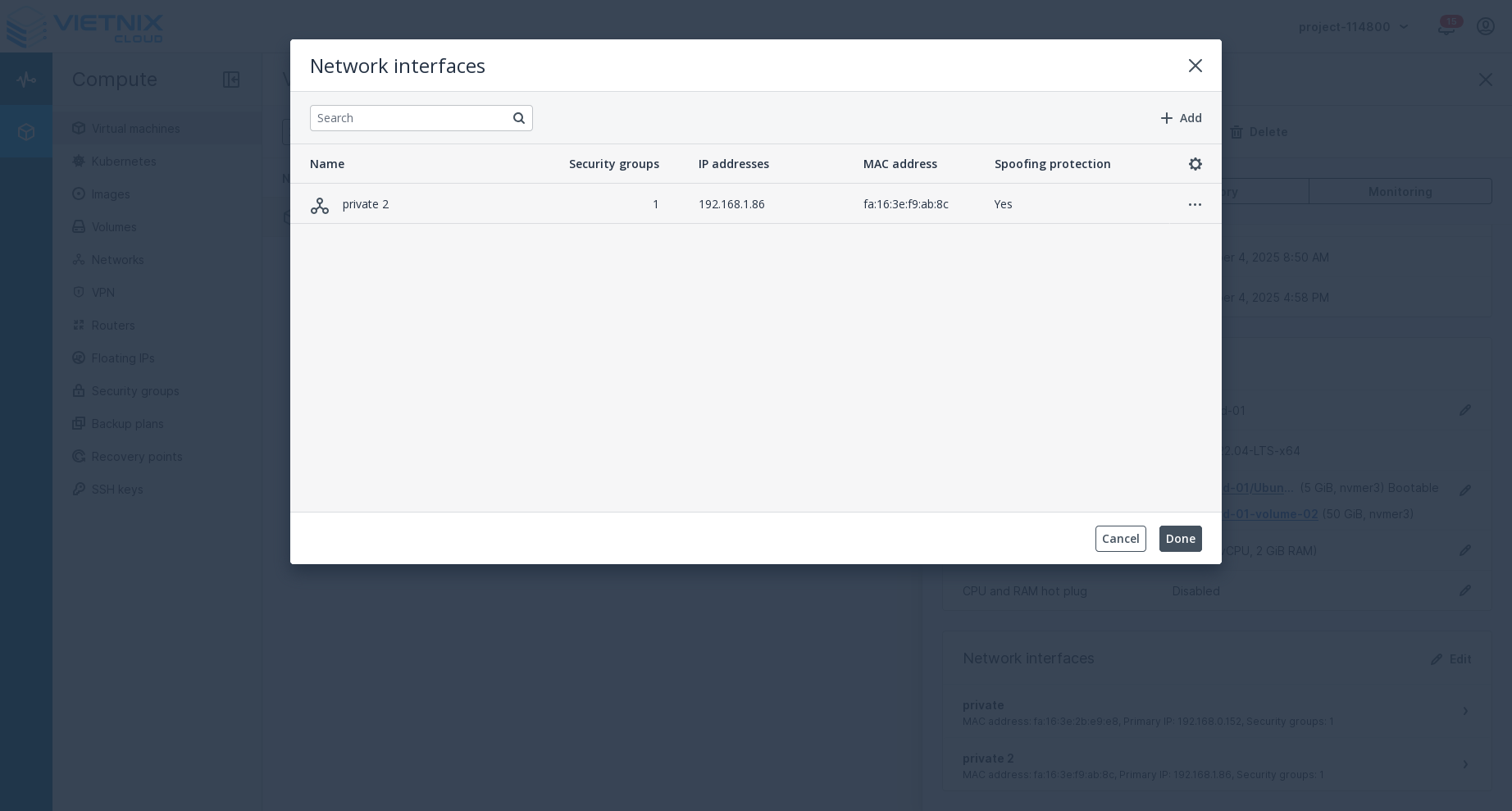
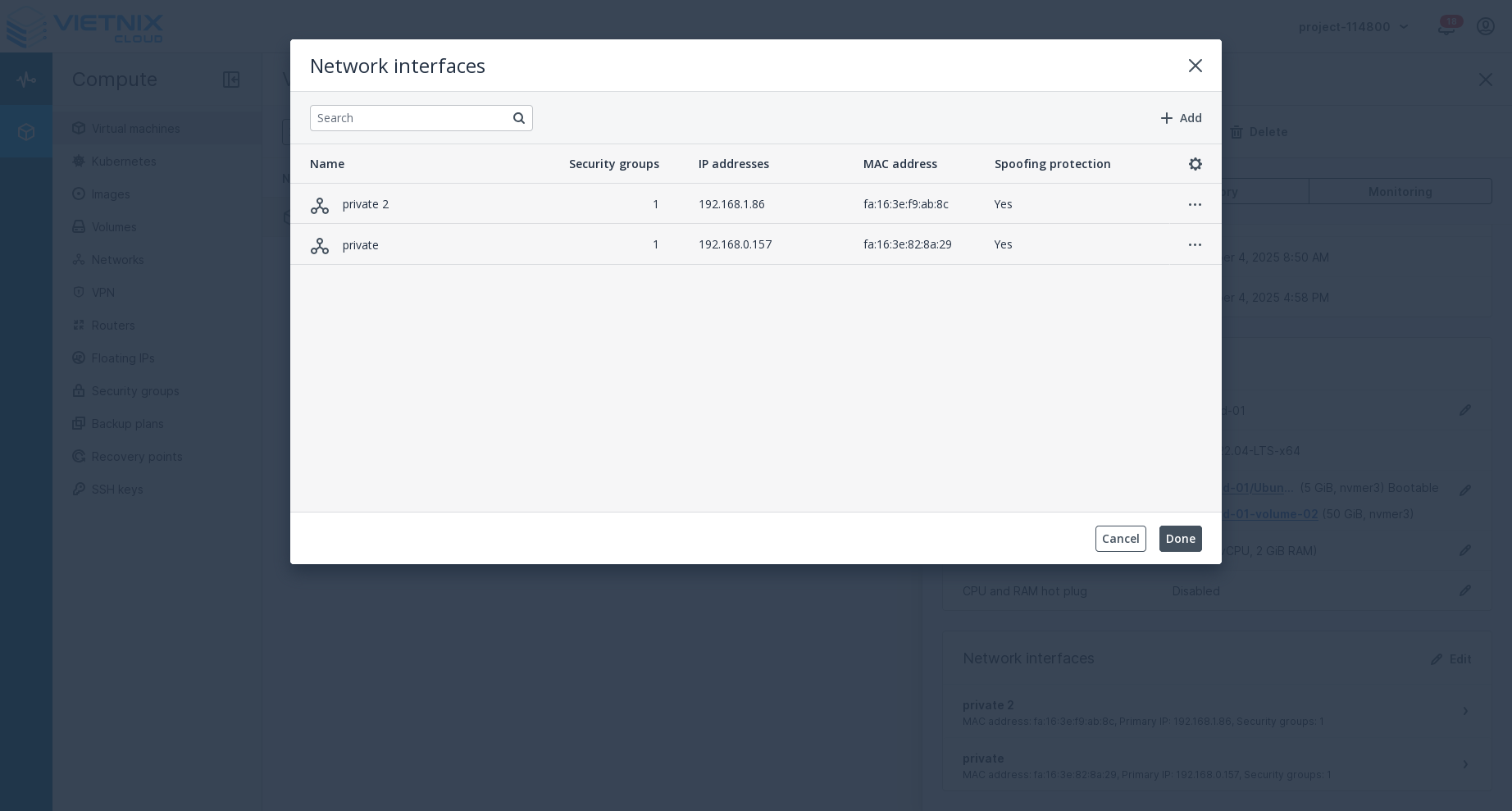
In the Network Interfaces form, press Add button.
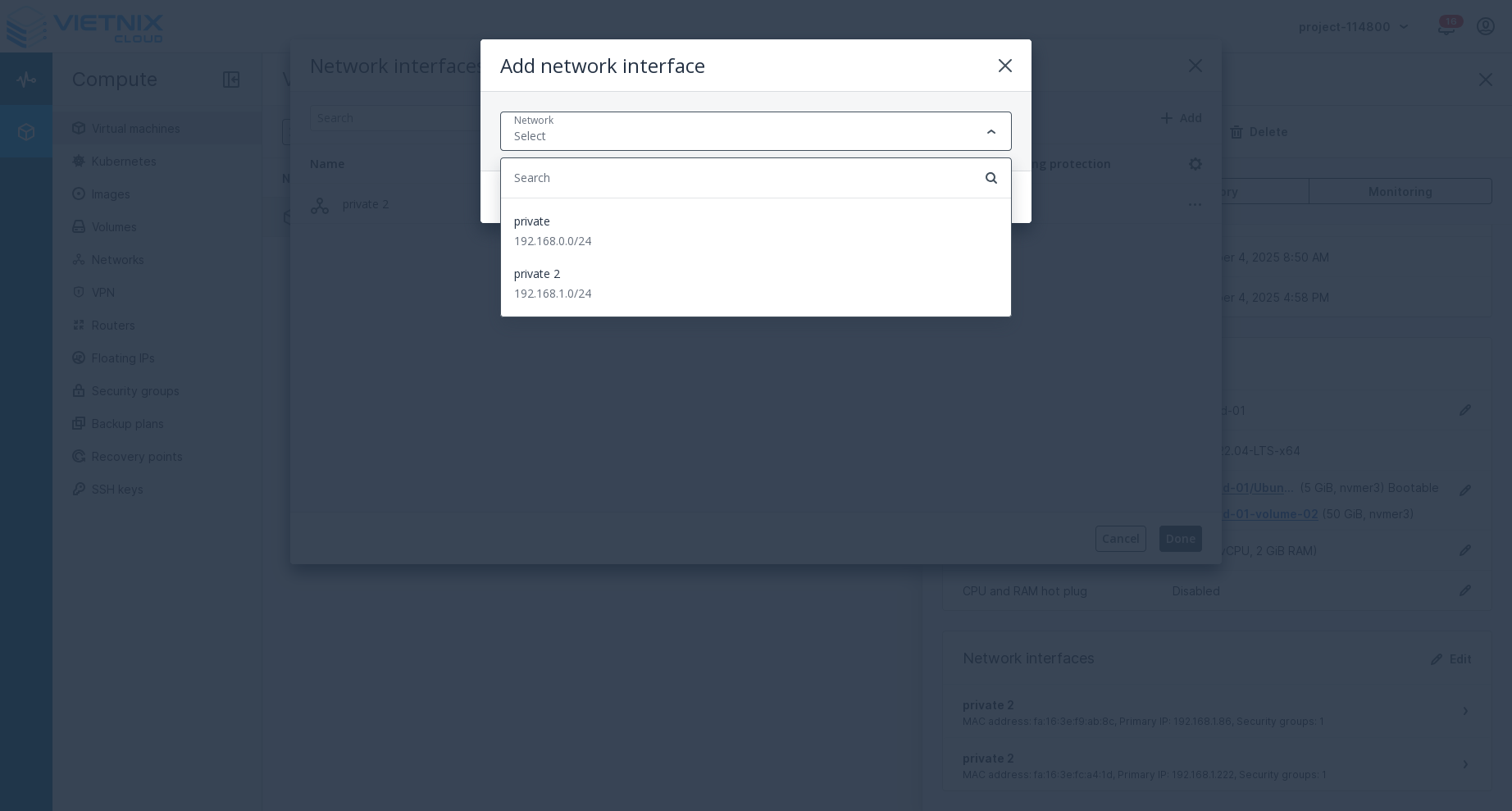
 Select the virtual network you want to attach from the Network dropdown menu.
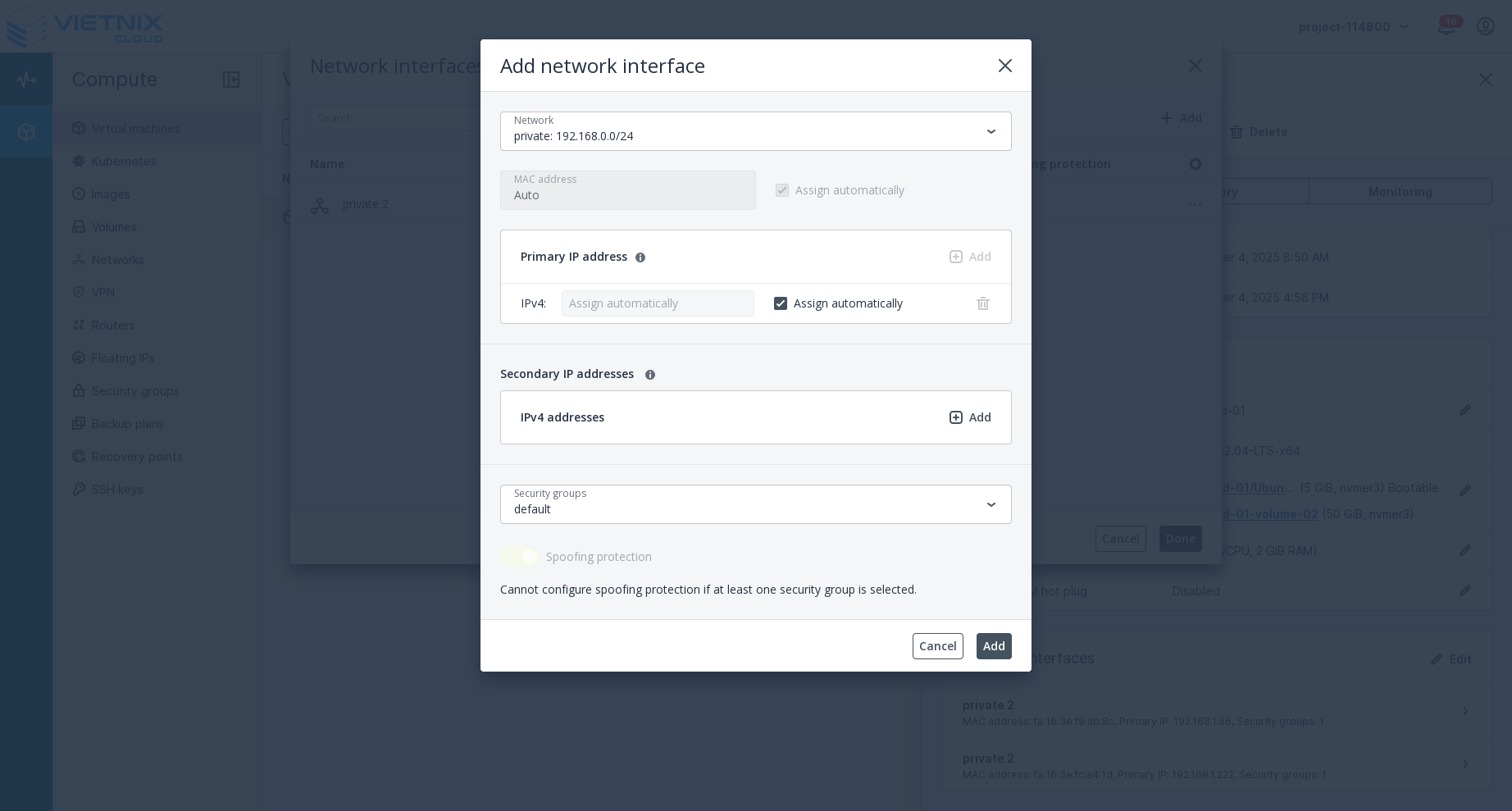
 Config IP Address and Security Group if needed, then press Add button to confirm.
-
After adding the network interface, press Done button to apply the changes to your VM.
-
You will see the newly attached network interface in the Network interfaces panel of your VM details.
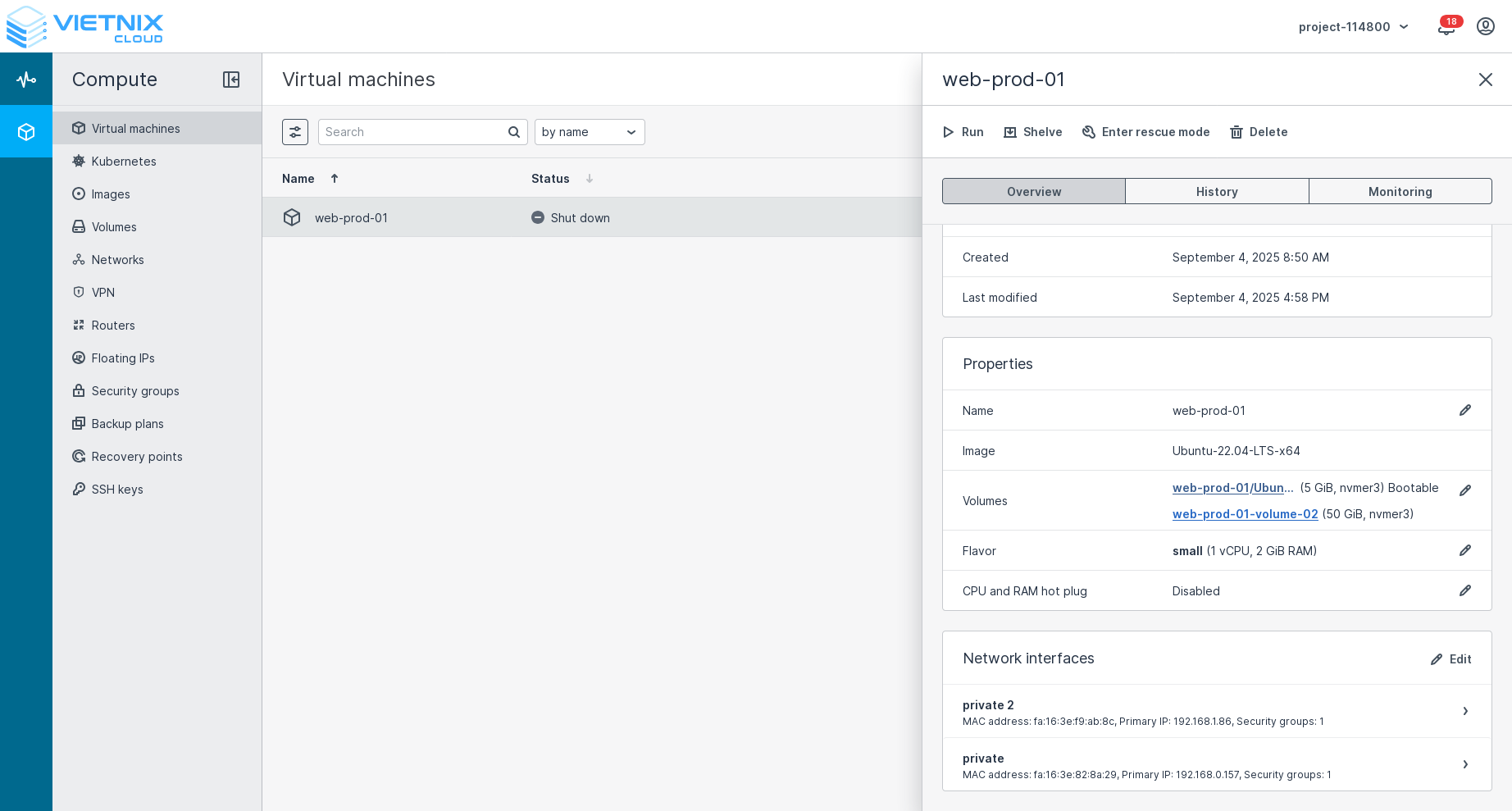
After editing network, you may need to reboot your VM to apply the changes.
Related Resources
- Create Network - Learn how to Create Network in Vietnix Cloud
- Create Virtual Router - Learn how to Create Virtual Router
- Detach Network - Learn how to Detach Network in Vietnix Cloud
- Floating IP - Learn how to manage Floating IP in Vietnix Cloud
- Security Group - Learn how to manage Security Group in Vietnix Cloud