Floating IP
After created Routers, your virtual networks can send traffic to external networks. However, instances in your private networks cannot be accessed from external networks. To allow access to instances in your private networks from external networks, you can associate a Floating IP with an instance.
A Floating IP is an IP address that can be dynamically associated with an instance in a private network. When you associate a Floating IP with an instance, the instance can be accessed from external networks using the Floating IP address.
Add Floating IP
You need to have at least one virtual network with Internet Gateway (Router) and one VM in your account before adding a Floating IP.
To add a Floating IP, follow these steps:
- In the Vietnix Cloud Console, go to Compute > Floating IPs.
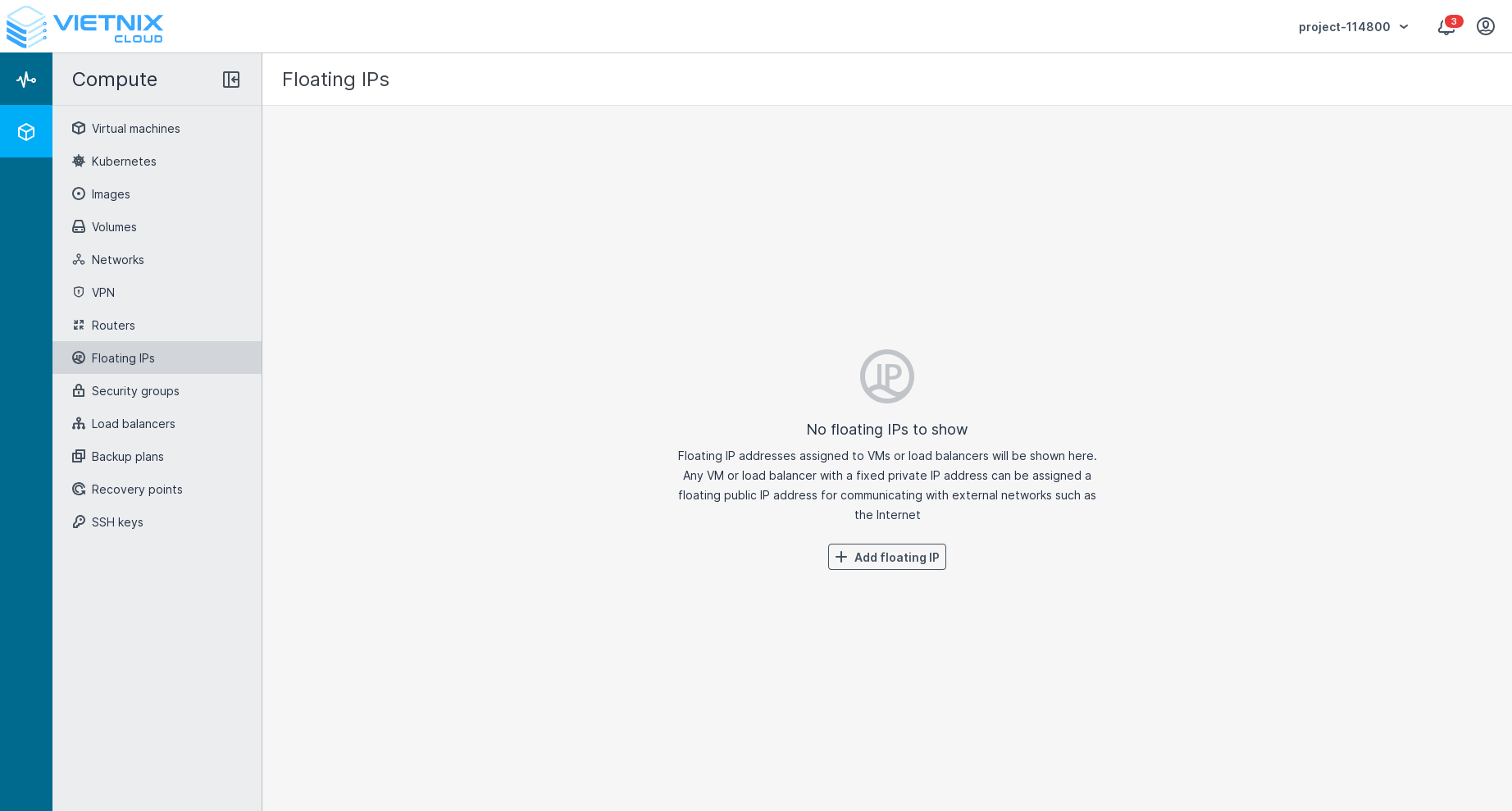
- Click on the Add Floating IP button.
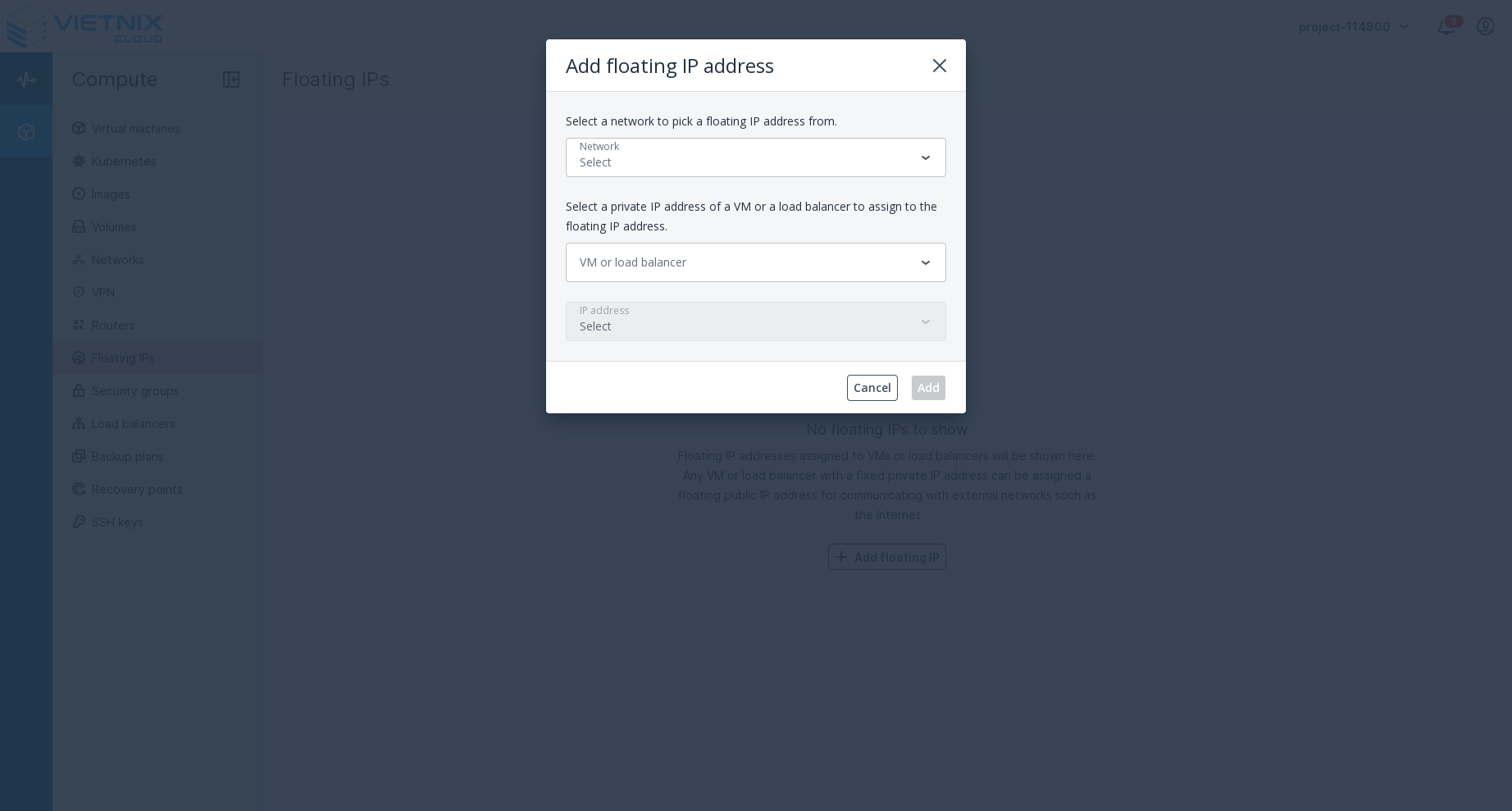
- In the Add Floating IP dialog, select the Instance and the Network you want to associate the Floating IP with.
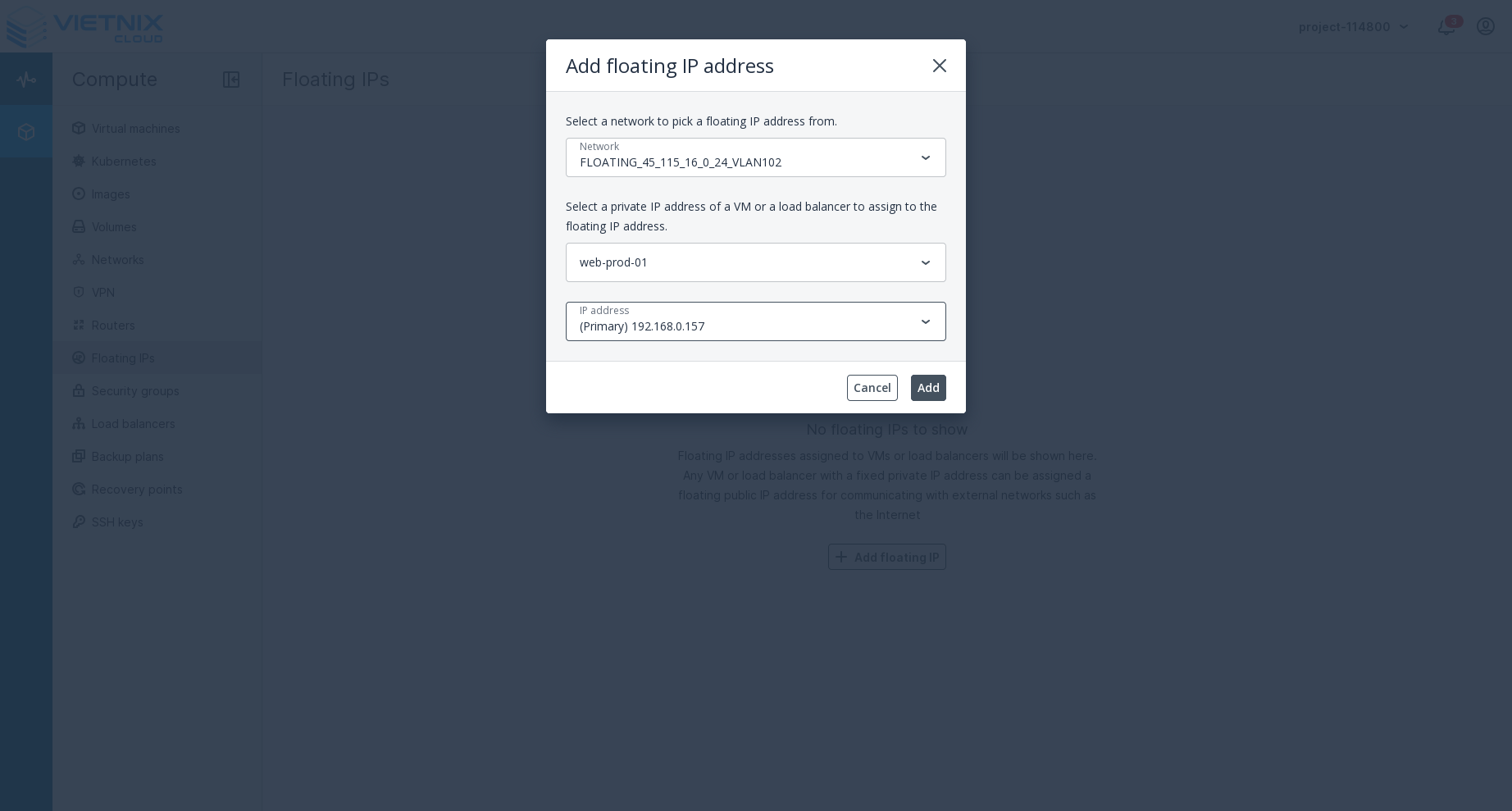
- Click on the Add button to add the Floating IP.
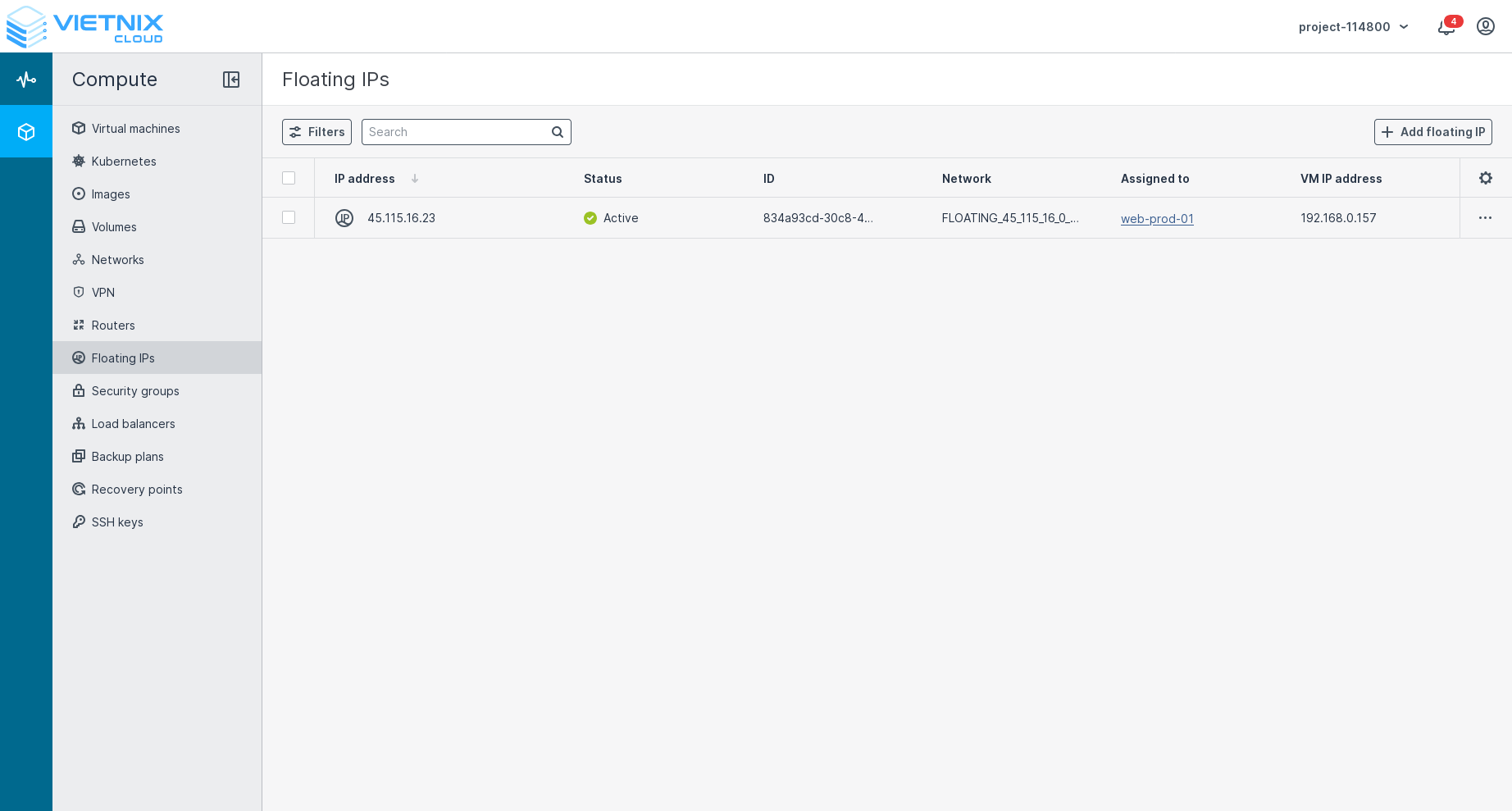
Added Floating IP will automatically be assigned with the selected instance. You can unassign it later if needed.
Manage Floating IP
After adding a Floating IP, you can delete or unassign it:
- In the Vietnix Cloud Console, go to Compute > Floating IPs.
- To unassign a Floating IP, click on the menu button next to the Floating IP you want to manage. You can assign/unassign or delete the Floating IP from the menu.
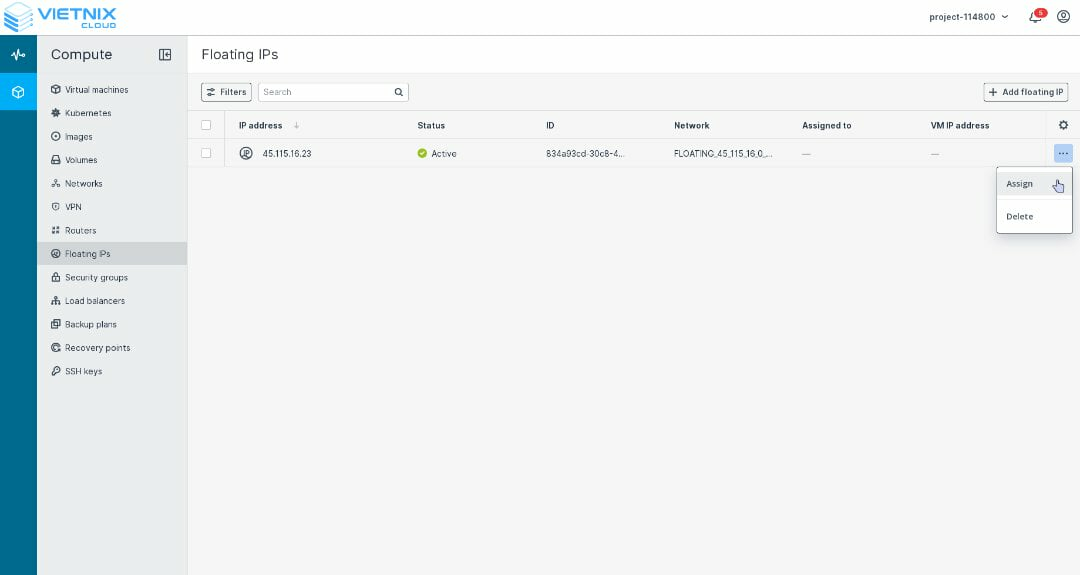
A Floating IP can only be deleted when it is unassigned.
Useful Resources
- Security Group - Learn how to manage Security Groups in Vietnix Cloud
- Remote accesss - Learn how to connect to and interact with your virtual machine's console remotely
- VM Actions - Discover various actions you can perform on your virtual machines
- Monitoring VM - Discover tools and techniques for monitoring your virtual machine's performance
- Create Network - Learn how to Create Network in Vietnix Cloud
- Create Virtual Router - Learn how to Create Virtual Router
- Attach Network - Learn how to Attach Network in Vietnix Cloud
- Detach Network - Learn how to Detach Network in Vietnix Cloud