Hybrid Model
What is Hybrid Model?
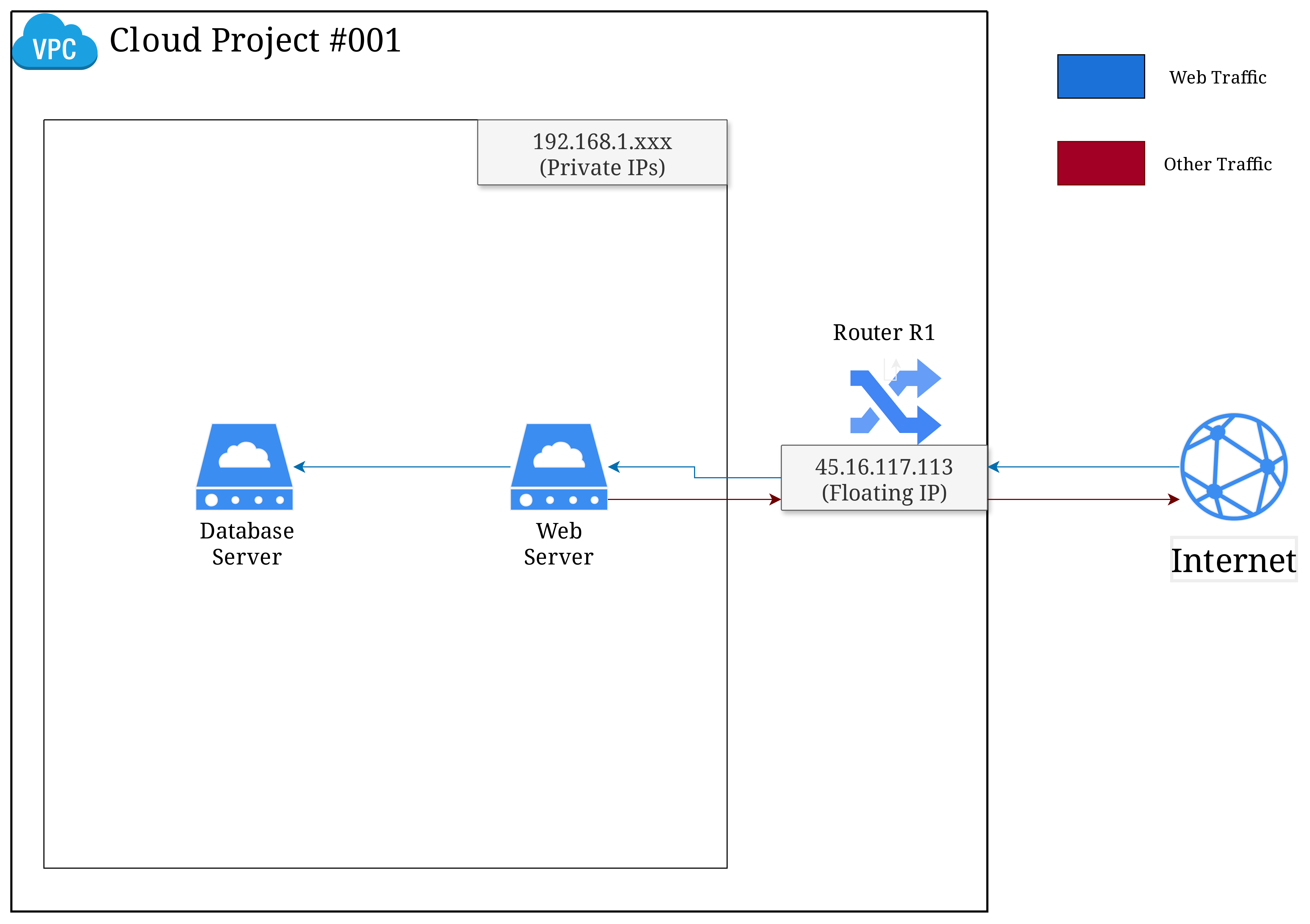
The Hybrid Model in Vietnix Cloud is a flexible infrastructure solution that combines both private and public cloud resources to create a seamless, cost-effective, and scalable infrastructure.
Benefits of the Hybrid Model (Private-Public Cloud)
-
Enhanced Security: Backend systems such as databases, application servers, and internal APIs are isolated in the private network without public IP exposure, reducing the attack surface.
-
Clear Network Segmentation: Separates frontend (public-facing services) from backend (internal services), making it easier to enforce access control and security policies.
-
Scalability and Flexibility: Supports easy scaling of public-facing services while keeping backend systems protected and cost-efficient.
-
Efficient Resource Usage: Minimizes the need for public IP addresses since only frontend resources require them.
-
Service Integration: Works well with additional components such as load balancers, firewalls, and NAT gateways, providing flexibility for various application architectures.
Step to set up Hybrid Model in Vietnix Cloud
-
Create a Virtual Network with subnet such as
Network-1 (192.168.1.0/24)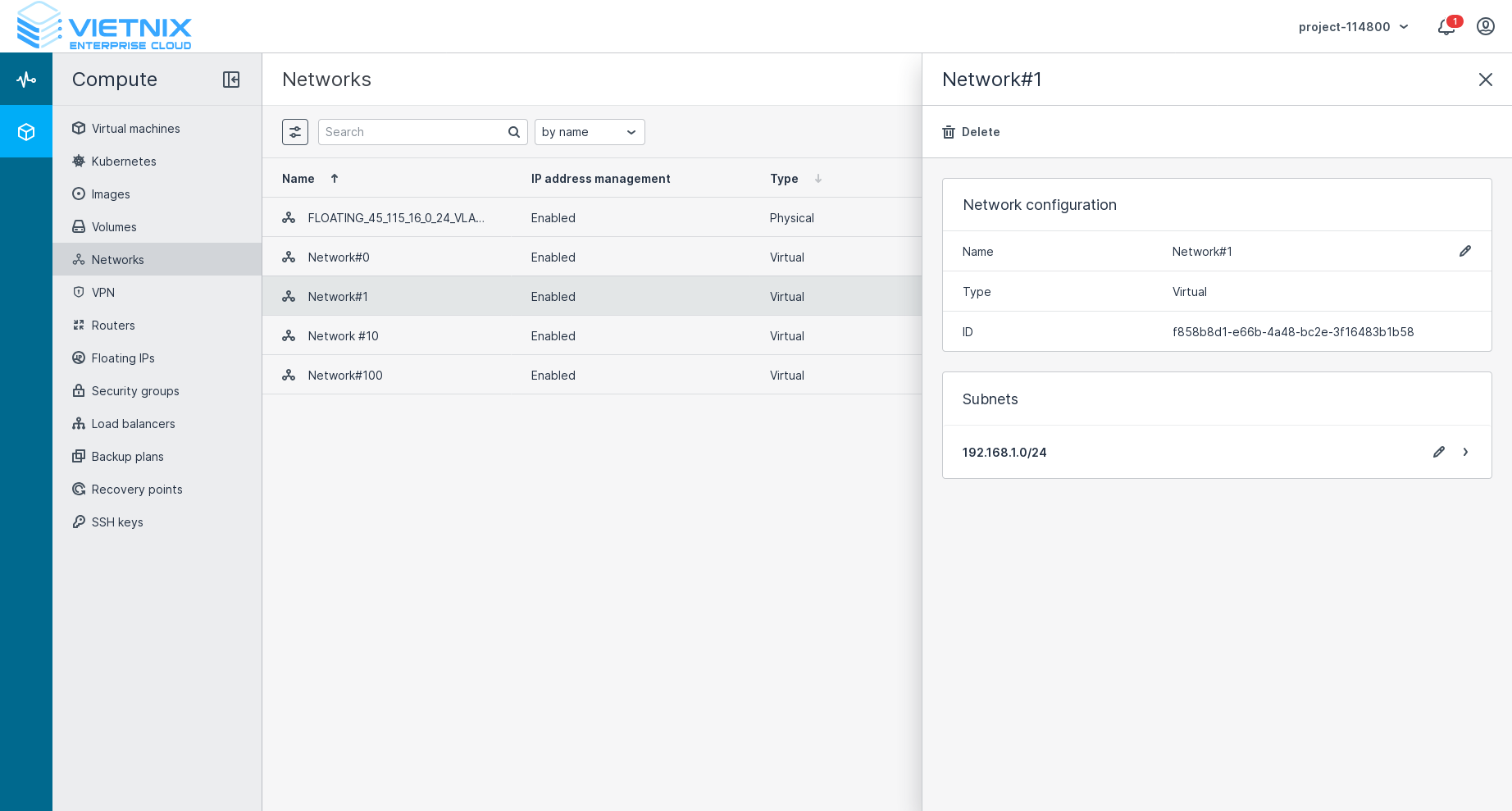
-
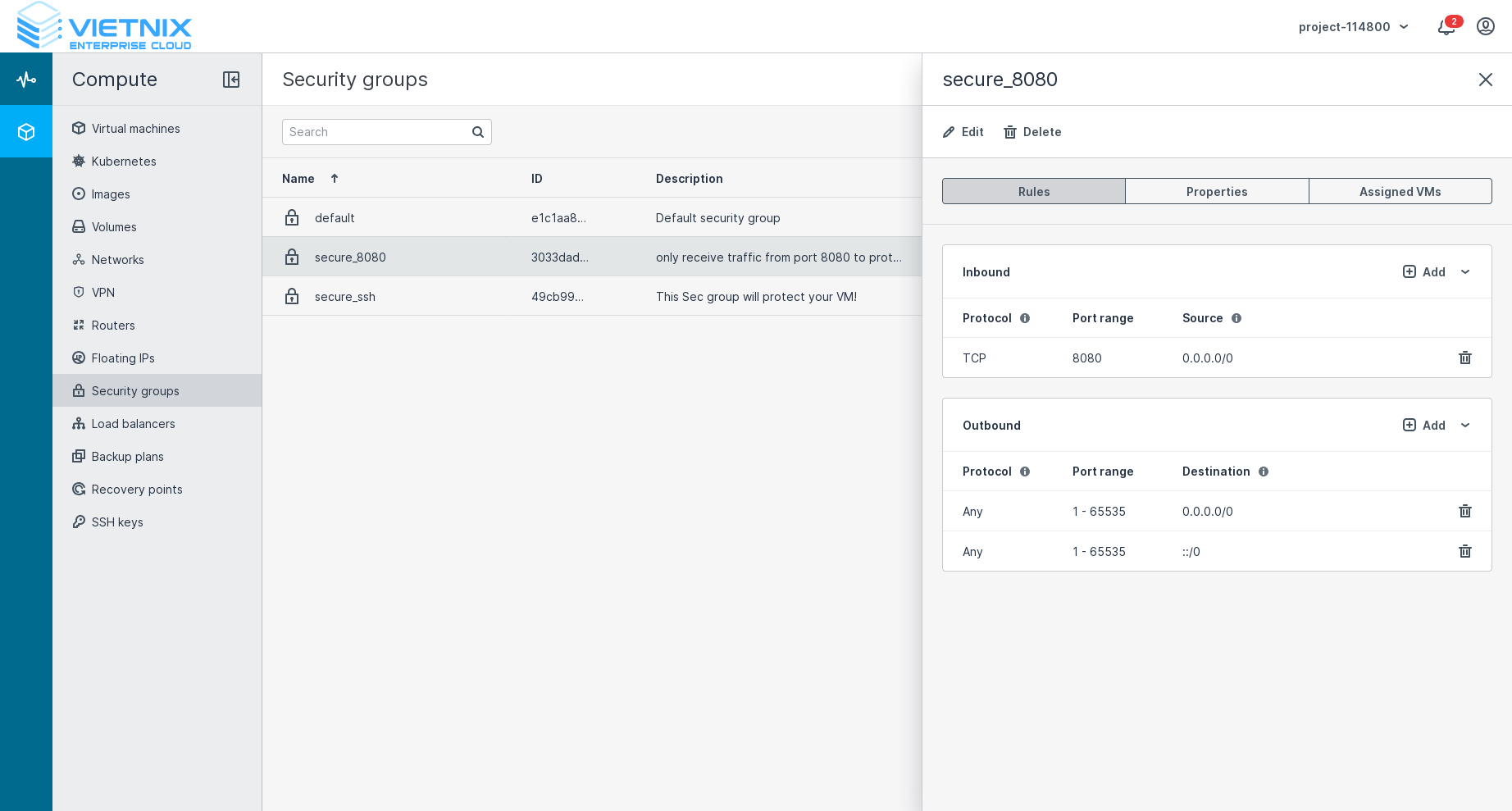
Create security group with inbound rule to allow only from port 8080
 info
infoThis security group will help to protect the virtual machine from external attack, only allow traffic from port 8080.
-
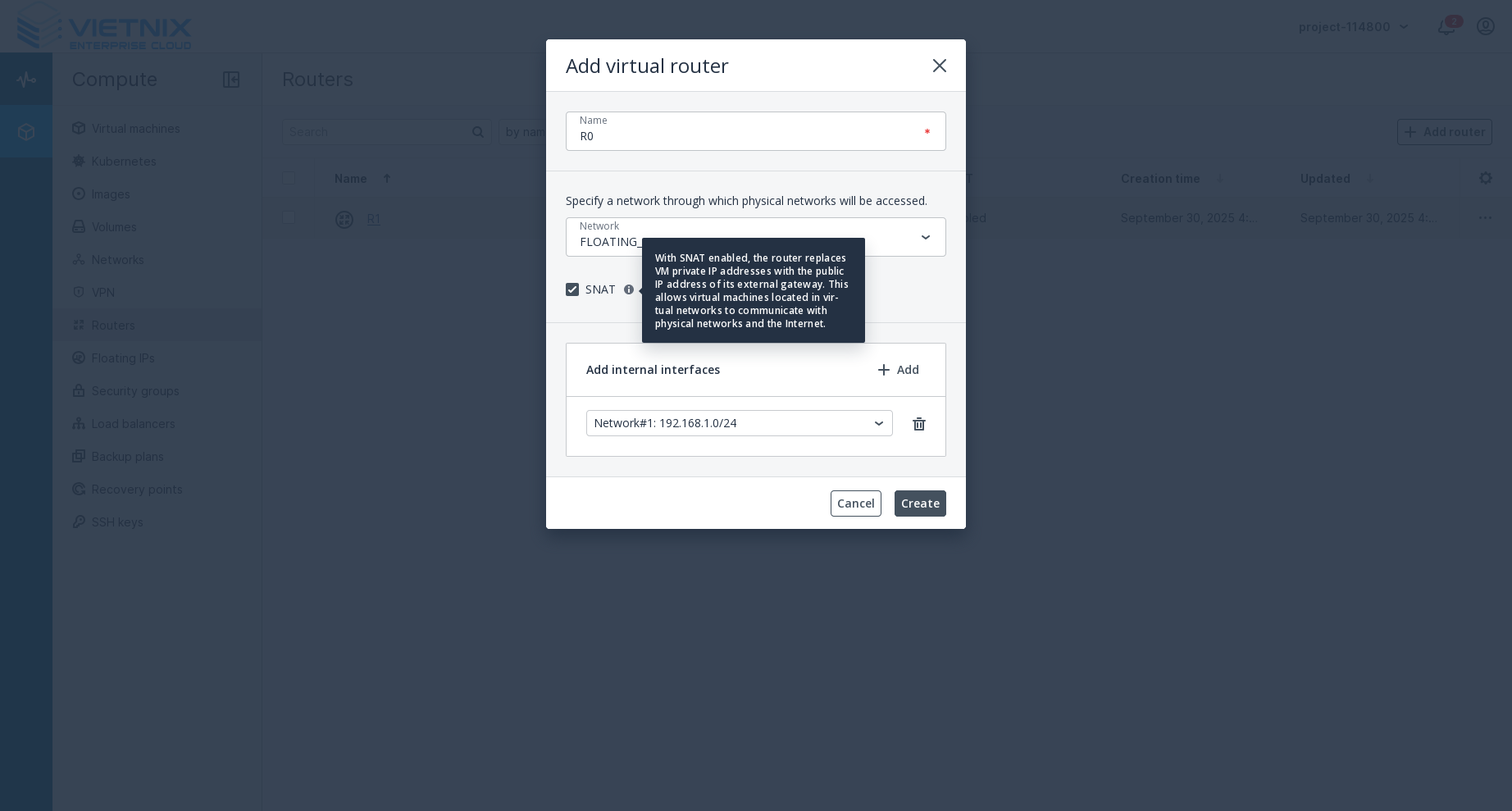
Create a virtual router in Vietnix Cloud and ensure enable SNAT
-
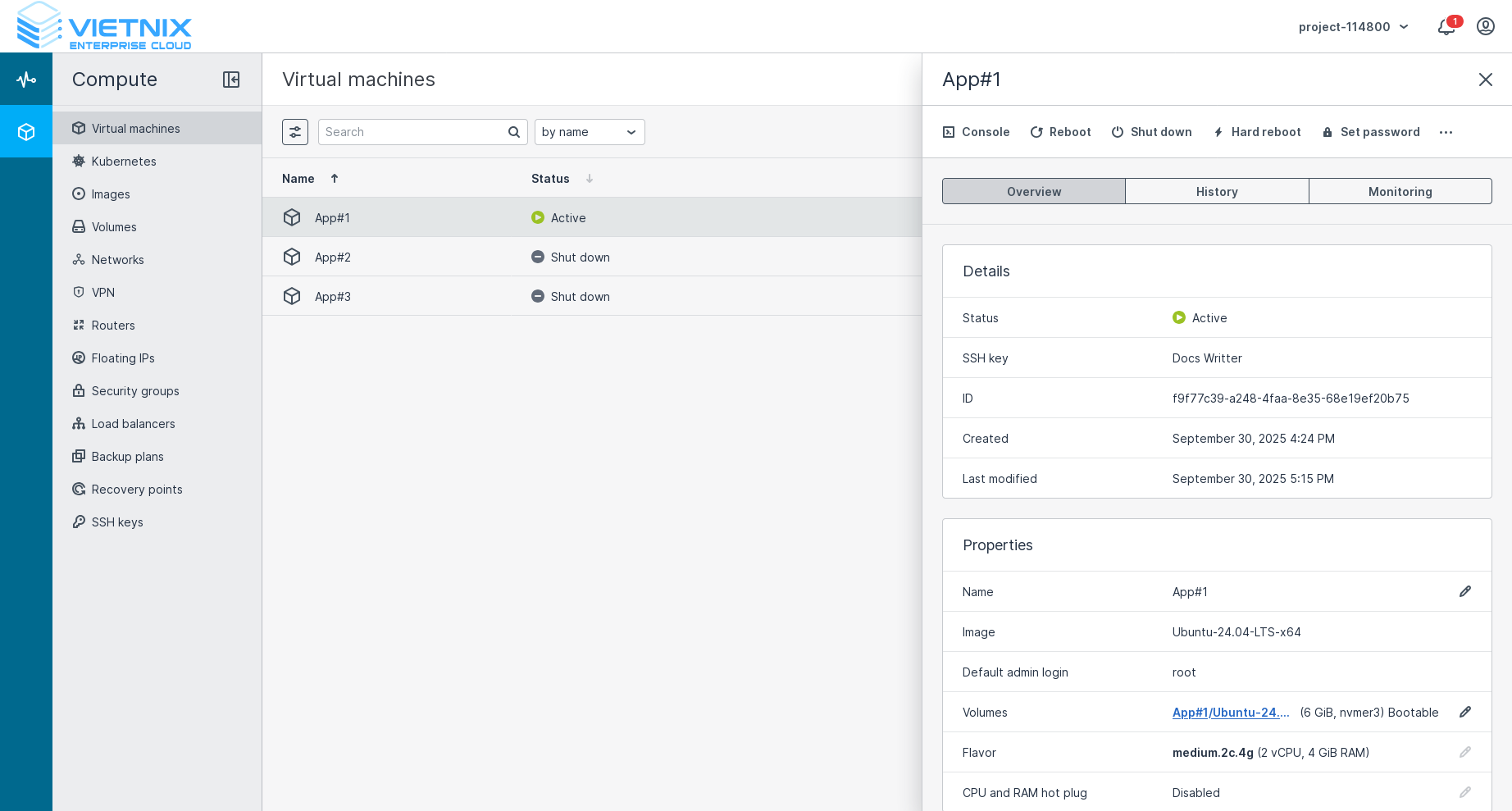
Create a virtual machine as Web Server with:
- Attach to
Network-1 (192.168.1.0/24) - Attach to the security group created in step 2
- Attach to
-
Create a virtual machine as Database Server with:
- Attach to
Network-1 (192.168.1.0/24)
- Attach to
-
Create a Floating IP in Vietnix Cloud and associate it to the Web Server created in step 4
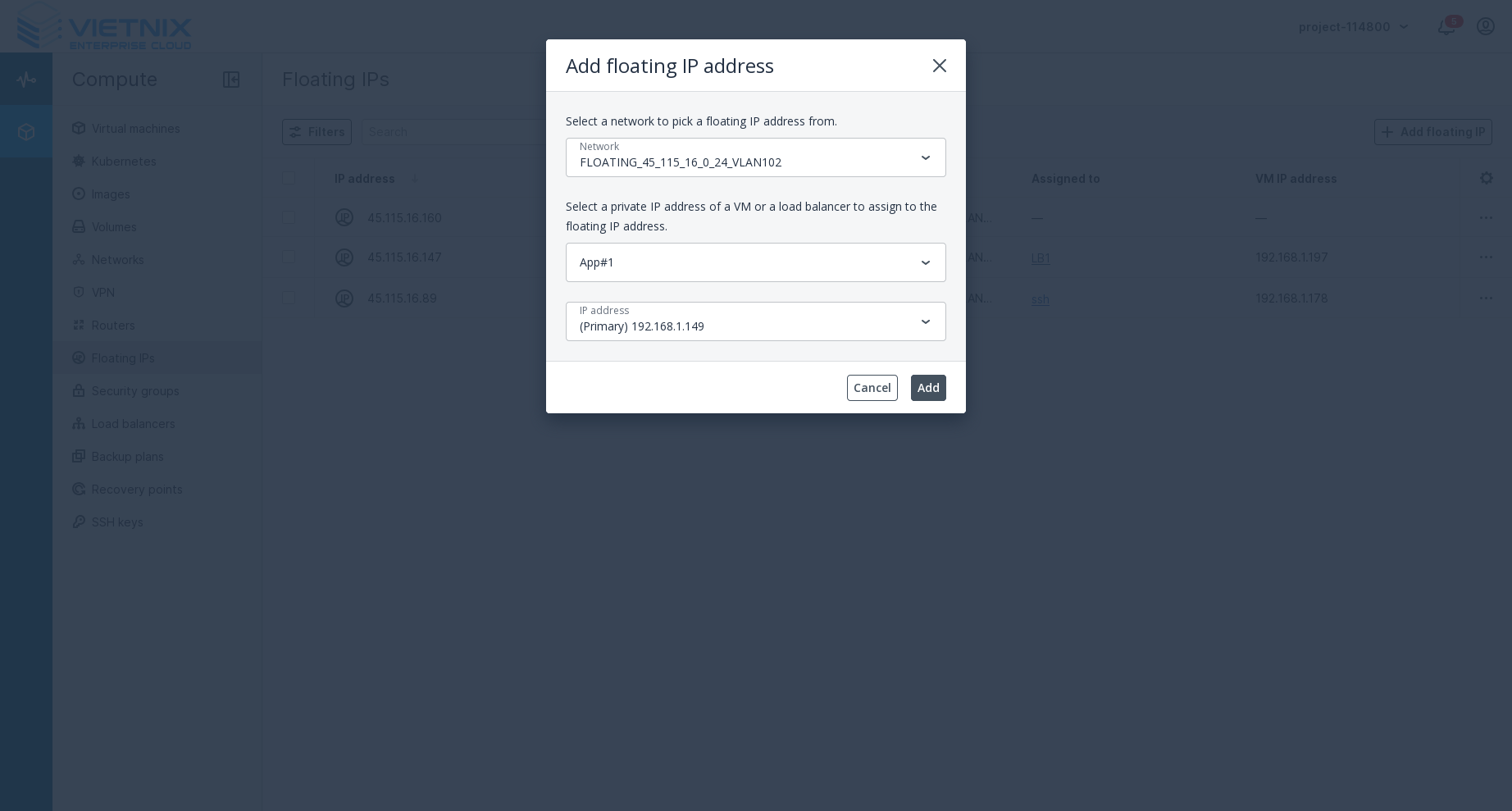
After completing these steps, you will have a fully functional Hybrid Model setup in Vietnix Cloud. The web server will be accessible from the internet via the floating IP, while the database server remains isolated within the private network. The security group will ensure that only traffic on port 8080 is allowed to reach the web server, enhancing the overall security of your infrastructure.
Optional: Add Load Balancer to Hybrid Model
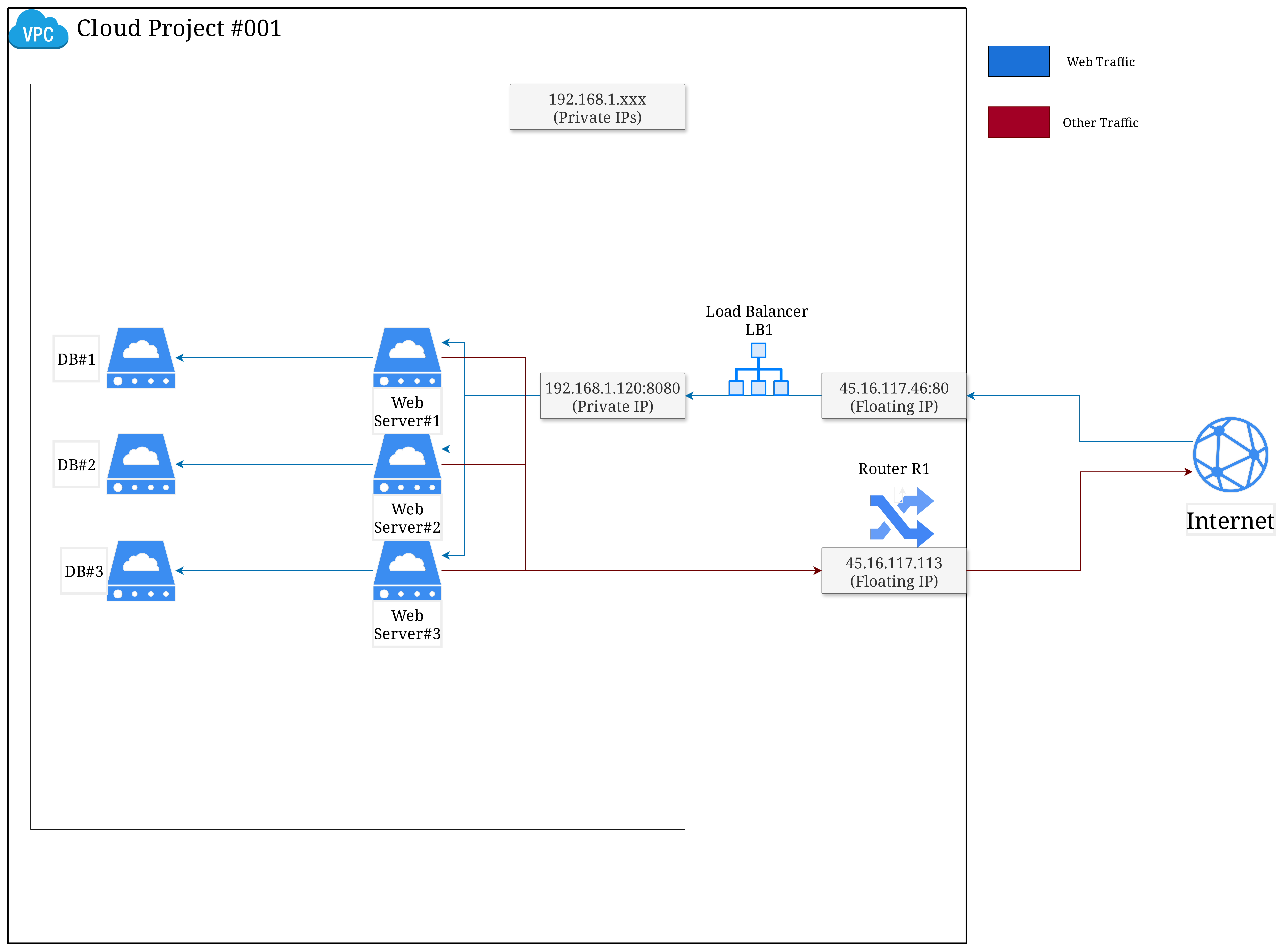
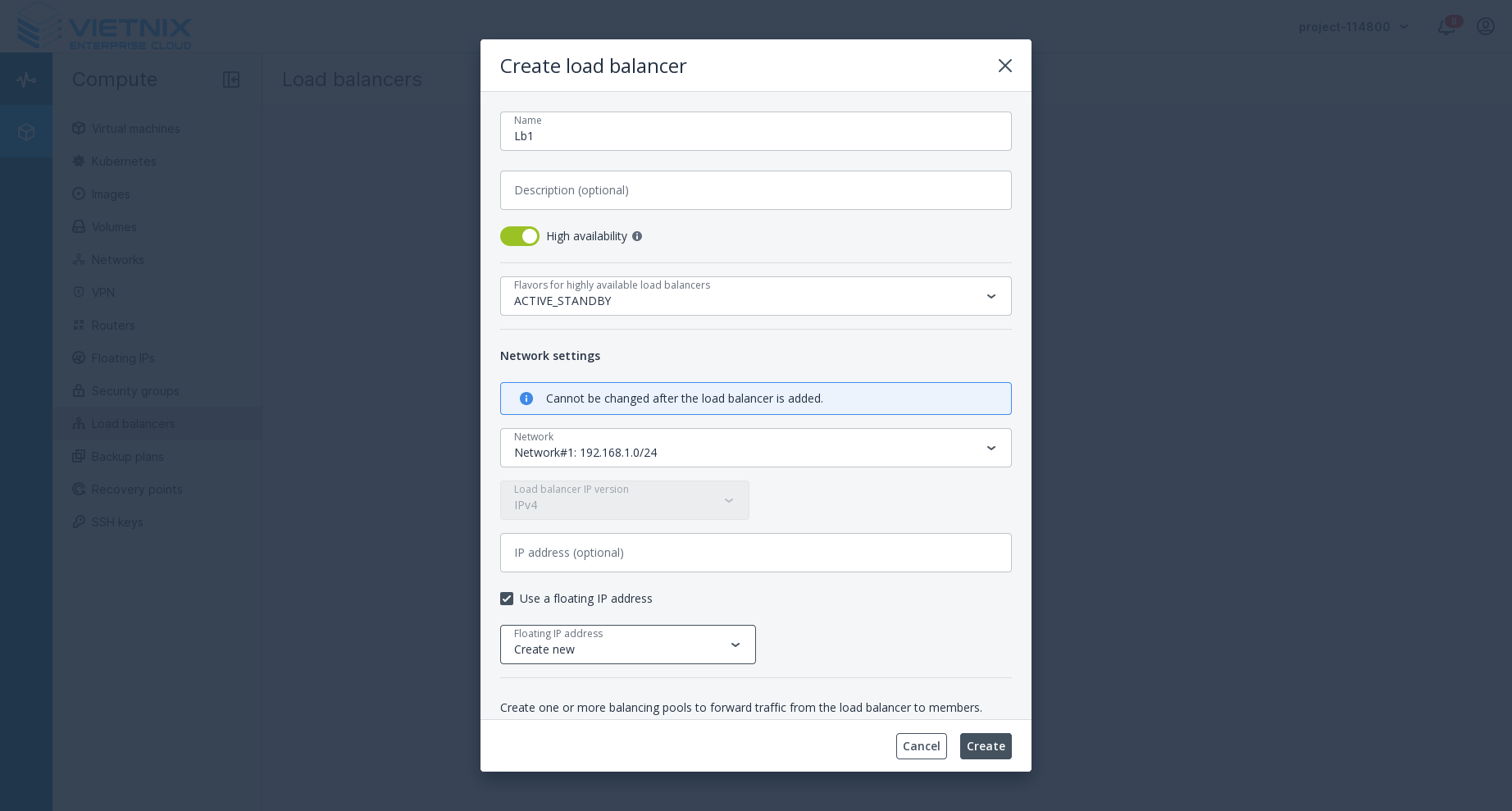
When your web application needs to handle a large amount of traffic or requires high availability, with multiple web servers and database servers, you can add a Load Balancer to the Hybrid Model setup. The Load Balancer will distribute incoming traffic across multiple web servers, ensuring that no single server becomes overwhelmed and improving the overall performance and reliability of your application.
-
-
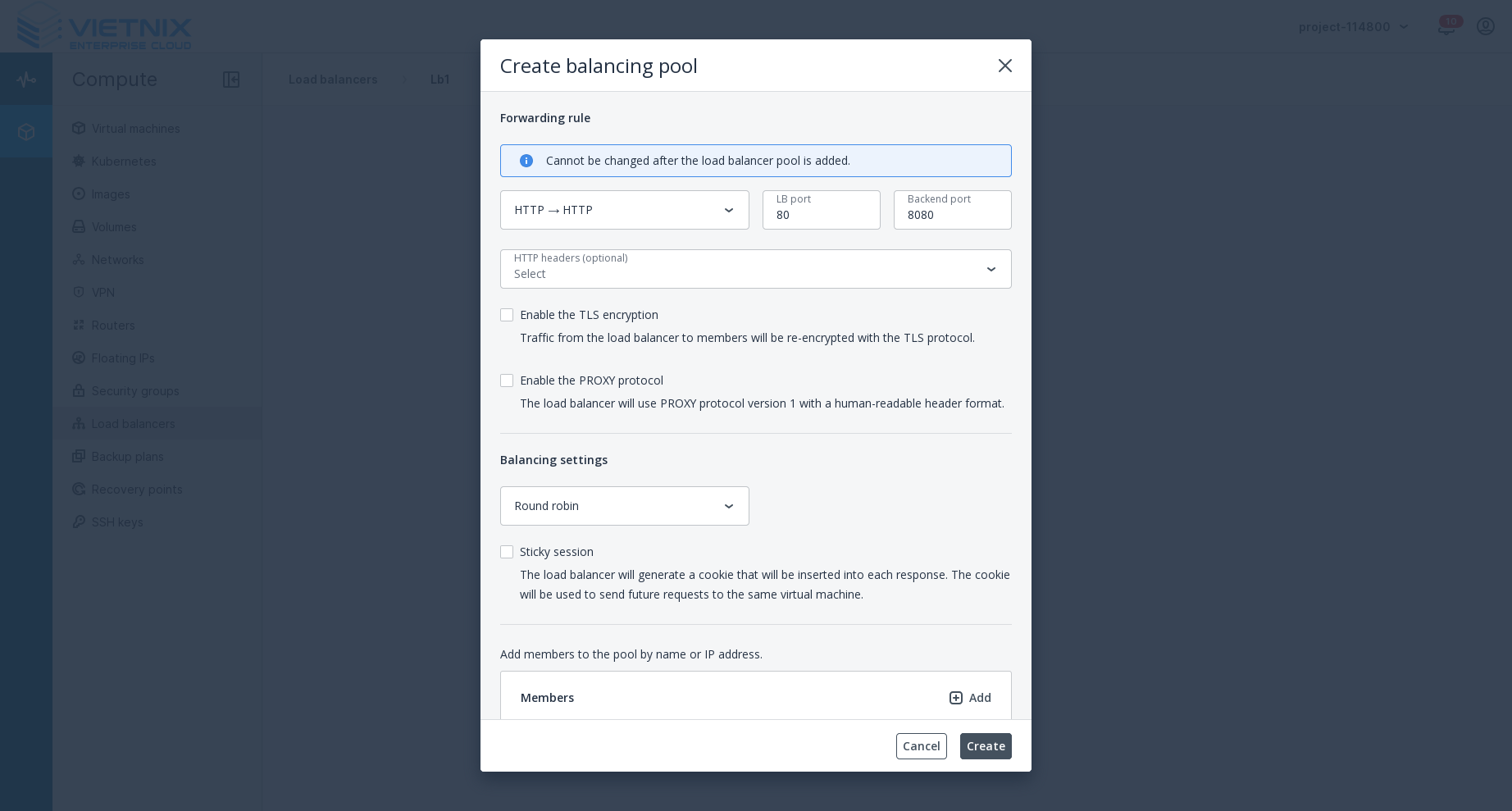
Add load balancing pool with:
- Protocol: HTTP
- LB port: 80
- Backend port: 8080
- Algorithm: Round Robin/Least Connections/Source IP
 info
infoLB port is the port that the load balancer will listen on, and backend port is the port that the load balancer will forward traffic to on the backend servers. In this case, the load balancer will listen on port 80 and forward traffic to port 8080 on the web servers.
-
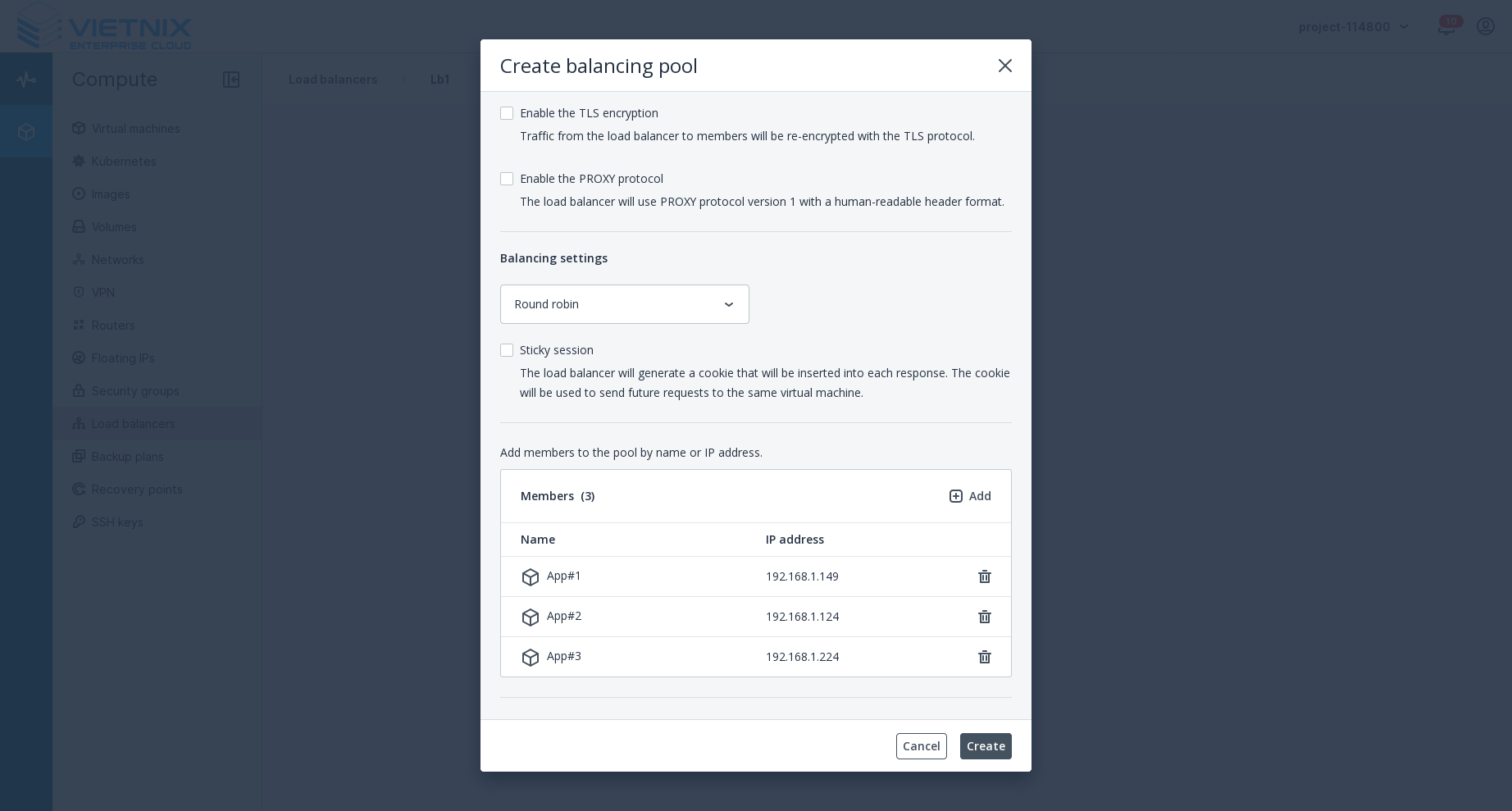
Add the web servers to the load balancing pool created in step 2
-
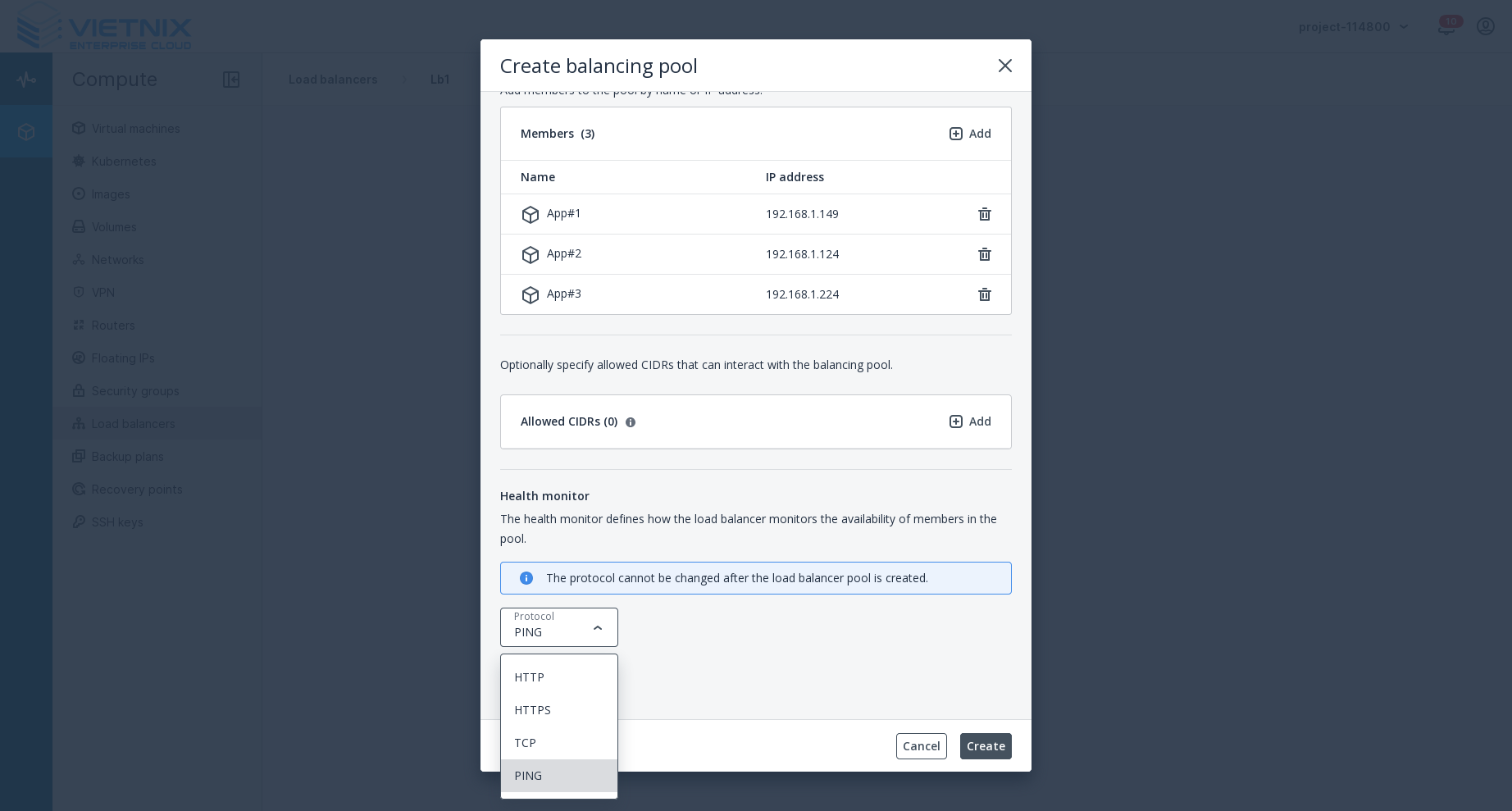
Define health monitor for the load balancing pool
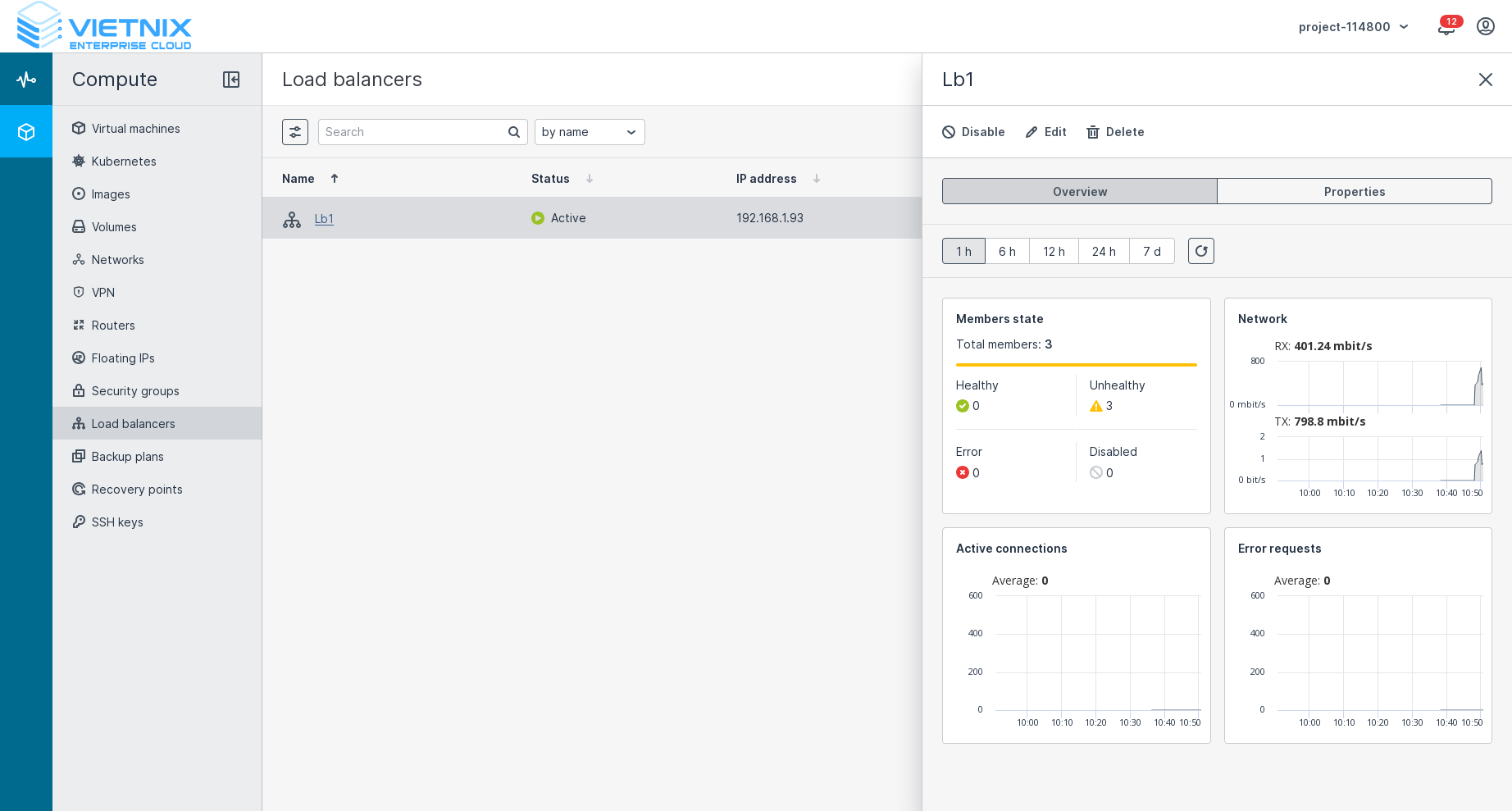
After completing these steps, you will have a floating IP associated with the load balancer. The load balancer will distribute incoming traffic across the web servers in the pool, ensuring high availability and improved performance for your web application. The database servers will remain isolated within the private network, and the security group will continue to protect the web servers from unauthorized access.
Summary
In summary, the Hybrid Model in Vietnix Cloud combines private and public cloud resources to create a secure, scalable, and cost-effective infrastructure. By following the steps outlined above, you can set up a Hybrid Model with web servers and database servers, ensuring that your application is both accessible and protected. Additionally, by adding a Load Balancer to the setup, you can further enhance the performance and reliability of your web application, making it capable of handling increased traffic and providing high availability.